Unique Typing Challenges: Fun and Effective Ways to Improve Your Typing
Typing practice does not have to feel repetitive. Unique typing challenges turn ordinary keyboard practice into focused games, timed tests, accuracy drills, and real-world writing tasks. They help you build speed, accuracy, rhythm, and confidence without getting bored.
A good typing challenge gives you a clear goal: type a paragraph without errors, complete a one-minute speed test, master punctuation, improve number-row control, or beat your personal best. These small challenges make progress measurable and enjoyable.
You can use TapTapTyping’s Typing Test, Typing Lessons, Typing Games, and Typing Practice to turn any challenge into a complete practice routine.
What Are Unique Typing Challenges?
Unique typing challenges are structured typing activities designed to improve a specific skill. Instead of typing random text again and again, you focus on one goal at a time.
For example, you might challenge yourself to:
- Type for one minute without looking at the keyboard
- Complete a paragraph with 95% accuracy
- Type 20 alphanumeric codes without an error
- Practice punctuation-heavy text for five minutes
- Improve your WPM by a small amount each week
- Complete a typing game without using the backspace key
- Type a professional email using correct capitalization and punctuation
A typing challenge is useful because it creates a clear target. Rather than asking, “Can I type faster?” you ask, “Can I complete this specific challenge today?”
Key takeaway: Unique typing challenges combine fun, focus, and measurable progress. They help you improve speed, accuracy, keyboard control, and confidence through short, goal-based practice sessions.
Why Typing Challenges Improve Speed and Accuracy
Typing challenges work because they make practice active. Instead of passively typing whatever appears on the screen, you have a purpose: beat a time, reduce errors, complete a level, or maintain a streak.
Challenges can improve:
- Typing speed: Timed challenges encourage smoother finger movement.
- Accuracy: Error-limit challenges train careful control.
- Focus: Short challenges reduce distraction and build concentration.
- Consistency: Paragraph challenges improve rhythm across longer text.
- Keyboard familiarity: Symbol and number challenges strengthen less-used keys.
- Motivation: Daily streaks and personal bests make progress visible.
Accuracy should always come before speed. A fast typist who makes many mistakes may need to correct text repeatedly, which reduces real productivity. TapTapTyping’s accuracy-focused guidance recommends tracking WPM, accuracy, errors, difficult keys, and consistency rather than focusing only on speed.[taptaptyping]
CTA: Start with a one-minute Typing Test to find your baseline before choosing your first challenge.
Types of Unique Typing Challenges
There are many ways to make typing practice more interesting. The best challenge depends on your current skill level and the skill you want to improve.
| Challenge type | Main goal | Best for |
|---|---|---|
| Speed challenge | Increase WPM | Intermediate and advanced typists |
| Accuracy challenge | Reduce errors | All levels |
| Endurance challenge | Maintain performance over time | Students and professionals |
| Alphanumeric challenge | Improve number-row control | Data entry and office work |
| Punctuation challenge | Improve professional writing | Writers, students, and employees |
| Mixed-case challenge | Strengthen Shift-key control | All levels |
| Difficult-word challenge | Build vocabulary confidence | Students and advanced learners |
| No-backspace challenge | Improve first-pass accuracy | Intermediate and advanced typists |
| Game-based challenge | Make practice enjoyable | Kids, teens, and adults |
| Real-world challenge | Apply typing to daily tasks | Everyone |
Speed challenge
A speed challenge asks you to type as quickly as possible while maintaining acceptable accuracy. Start with one minute, then move to three or five minutes as your control improves.
Accuracy challenge
An accuracy challenge limits errors. For example, you might aim to type a 100-word paragraph with no more than two mistakes. This teaches control and careful finger placement.
Endurance challenge
An endurance challenge uses longer text, such as a five- or ten-minute test. It reveals whether your speed drops or accuracy declines after a few minutes.
Skill-specific challenge
A skill-specific challenge targets one weakness, such as numbers, punctuation, capital letters, or difficult vocabulary. This is often the fastest way to improve because you practice the exact movement causing errors.
CTA: Choose one challenge from the list above and practice it in Typing Practice.
Daily Typing Challenge: A Simple 7-Day Plan
A daily typing challenge is one of the easiest ways to build a habit. You do not need hours of practice. Ten to twenty minutes a day is enough to see improvement over time.
| Day | Challenge | Goal |
|---|---|---|
| Day 1 | One-minute baseline test | Record WPM and accuracy |
| Day 2 | Home-row word challenge | Improve finger placement |
| Day 3 | Alphanumeric challenge | Practice numbers and codes |
| Day 4 | Punctuation challenge | Improve professional writing accuracy |
| Day 5 | Mixed-case challenge | Strengthen Shift-key control |
| Day 6 | Difficult-word challenge | Reduce hesitation on hard words |
| Day 7 | Full paragraph test | Measure weekly progress |
Example daily routine
- Warm up for two minutes with simple words.
- Complete the day’s challenge for five to eight minutes.
- Take a one-minute timed test.
- Write down your WPM, accuracy, and main errors.
- Repeat the same challenge the next day if accuracy is still low.
This approach prevents random practice. Each day has one clear purpose, and the final test shows whether the week produced real improvement.
CTA: Follow this seven-day plan using TapTapTyping’s Typing Lessons and Typing Test.
Typing Speed Challenge
A typing speed challenge helps you increase WPM without sacrificing accuracy. The goal is not to type recklessly; it is to type smoothly at a pace you can control.
One-minute speed challenge
Type a short paragraph for one minute. Record your WPM and accuracy. Repeat the same paragraph three times, aiming to improve slightly each time.
Three-minute speed challenge
A three-minute challenge is better for measuring consistency. It shows whether you can maintain speed after the first minute.
Five-minute speed challenge
A five-minute challenge tests endurance. It is useful for students preparing for online exams, professionals writing long emails, and anyone who needs to type for extended periods.
Speed challenge rules
- Do not sacrifice accuracy for speed.
- Keep your eyes on the screen, not the keyboard.
- Use the same text length for fair comparison.
- Take a short break between attempts.
- Track your best result, average result, and accuracy.
A useful target is to improve by a small, realistic amount over time. Do not try to double your WPM in one week. Focus on controlled progress.
CTA: Take a one-minute speed challenge on TapTapTyping’s Typing Test.
Typing Accuracy Challenge
An typing accuracy challenge focuses on reducing errors. This is one of the most valuable challenges because accuracy makes speed useful.
Accuracy challenge examples
- Type 50 words with zero errors.
- Type a 100-word paragraph with 95% accuracy or higher.
- Complete a punctuation paragraph without correcting mistakes.
- Type 20 alphanumeric codes without an error.
- Type a professional email with correct capitalization and punctuation.
Accuracy challenge drill
The committee agreed that clear communication was necessary.
Please send the invoice by 5:00 p.m.; otherwise, payment may be delayed.
The project review will begin at 10:30 a.m. on Thursday, November 26.
Type this passage slowly. Do not use backspace during the first attempt. Then repeat it, focusing on the words or punctuation marks that caused errors.
How to improve accuracy
- Slow down when accuracy drops.
- Identify recurring error patterns.
- Practice problem keys in isolation.
- Use short, focused drills.
- Review results after every session.
- Do not chase speed until accuracy is stable.
CTA: Build an accuracy-focused routine in Typing Practice, then measure the result in the Typing Test.
Alphanumeric Typing Challenge
An alphanumeric typing challenge combines letters and numbers. It is one of the best challenges for real-world typing because it trains the movement between the alphabet and the number row.
You use alphanumeric typing in:
- Order numbers:
Order 48291 - Invoice numbers:
INV-2026-0087 - Dates:
12 March 2026 - Addresses:
27 Rose Lane, Room 4B - Product codes:
A7X-2291 - Email addresses:
support@example.com - Reference IDs:
REF2026-0087
Alphanumeric challenge example
Order 48291 was updated on 12 March 2026.
Invoice A7X-2291 totals $1,250.75.
Customer ID 8842 lives at 27 Rose Lane, Room 4B.
The reference code is REF2026-0087.
Call 555-0182 before 5:30 p.m.
Alphanumeric challenge rules
- Type each code correctly before increasing speed.
- Keep your fingers anchored to the home row.
- Return to the home row after reaching the number row.
- Do not look down at the keyboard.
- Repeat the passage until it feels smooth.
TapTapTyping’s English Typing Test includes a dedicated Numbers mode, allowing you to move from basic number practice to realistic alphanumeric sentences.
CTA: Try an alphanumeric challenge on the Typing Test and aim for clean, error-free typing.
Punctuation and Mixed-Case Challenge
Punctuation and capitalization are essential for professional writing. A punctuation and mixed-case challenge trains the small movements that make writing feel smoother and more polished.
Punctuation challenge example
“Yes,” she said, “the report is ready—but we need one more review.”
Please send the invoice by 5:00 p.m.; otherwise, payment may be delayed.
What time does the meeting start: 9:30 a.m. or 10:00 a.m.?
The results were clear: accuracy improved, errors decreased, and confidence grew.
Mixed-case challenge example
Dr. Aisha Rahman will join the meeting from New York.
The PDF report was prepared by the Marketing Team.
NASA, UNESCO, and WHO are well-known acronyms.
Please email Ms. Patel before Friday, November 27.
The project is called Project Nova 2026.
How to practice punctuation and mixed case
- Treat punctuation as part of the word, not an afterthought.
- Pause briefly before difficult marks such as quotation marks or semicolons.
- Practice apostrophes in contractions:
don’t,can’t,it’s, andyou’re. - Practice short capital sequences:
Aa,Bb,New York,USA. - Use paragraph mode so punctuation appears naturally in flowing text.
TapTapTyping’s English Typing Test includes punctuation and capitalization options, allowing you to isolate these skills in a timed environment.
CTA: Practice punctuation-heavy paragraphs in Typing Practice, then test your improvement with a timed Typing Test.
Difficult Words Typing Challenge
A difficult words typing challenge targets the words that slow you down. These may include long words, double letters, unfamiliar spellings, or technical vocabulary.
Difficult-word examples
necessary committee accommodate
responsibility communication professional
rhythm liaison conscience
configuration authentication algorithm
Difficult-word challenge drill
Type each word correctly five times. Then use it in a sentence:
The committee agreed that clear communication was necessary.
Professional responsibility requires careful attention to detail.
The system configuration requires secure authentication.
How to practice difficult words
- Type each word correctly five times.
- Use the word in a short sentence.
- Return to it later in the same session.
- Do not repeat a word until your fingers become tense.
- Focus on clean finger movement rather than speed.
Difficult-word challenges are especially helpful for students, writers, translators, and professionals who regularly use specialized language.
CTA: Add difficult words to a custom lesson in Typing Lessons and revisit them across several sessions.
No-Backspace Typing Challenge
A no-backspace typing challenge is one of the most effective accuracy drills. The rule is simple: type a passage without using the backspace key.
This challenge teaches you to:
- Slow down before difficult words
- Focus on first-pass accuracy
- Avoid careless mistakes
- Maintain rhythm under pressure
- Build confidence without constant corrections
No-backspace challenge example
The quick brown fox jumps over the lazy dog.
Accuracy matters more than speed.
Practice makes progress, not perfection.
Type each sentence once. Do not correct mistakes. At the end, review the errors and identify the cause.
No-backspace challenge rules
- Use a short passage first.
- Do not use backspace or delete.
- Focus on accuracy, not WPM.
- Review errors after the attempt.
- Repeat only if accuracy improves.
This challenge is not about being perfect. It is about learning to type carefully the first time.
CTA: Try a no-backspace challenge in Typing Practice and compare your accuracy with a normal timed test.
Typing Challenge Games for Kids
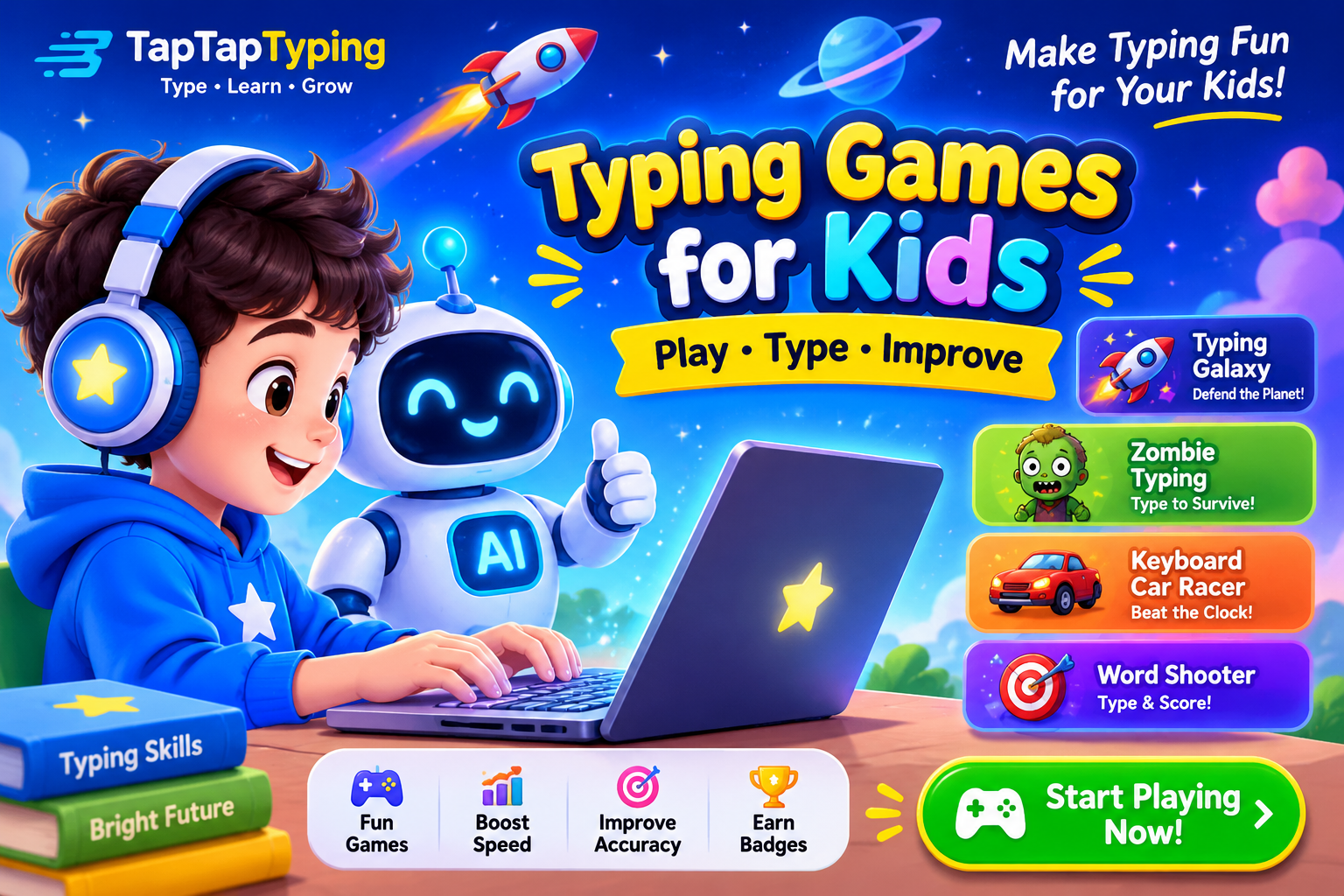
Typing challenge games make practice enjoyable for children. They turn keyboard learning into a game with clear goals, visual feedback, and immediate rewards.
For young children, the goal is not high WPM. It is keyboard familiarity, letter recognition, and correct early habits. Beginner games often use limited key sets, simple words, and visual feedback.
Kids’ typing challenge ideas
- Type 10 simple words without errors
- Complete a letter-recognition game
- Type the alphabet in order
- Type five home-row words
- Complete a short word game
- Type a simple sentence with correct spacing
- Play a typing game for five minutes
Free online typing games
Free browser-based typing games are widely available and often require no download or login. KidzType, for example, offers more than 30 games aimed at ages 5–12 and beginners, while other platforms offer games for a broader age range.
Educational benefits
Typing games can support:
- Letter recognition
- Keyboard familiarity
- Hand-eye coordination
- Word recognition
- Focus and attention
- Early touch-typing habits
- Confidence with technology
Educational typing resources commonly organize games by grade or age, with simpler activities for early primary learners and more challenging sentence-based games for older children.
CTA: Let kids try a short, fun session in Typing Games after a simple lesson.
Typing Challenge Games for Teens and Adults
Teens and adults can use more advanced challenges that combine speed, accuracy, and real-world text. These challenges prepare you for school, work, freelancing, and everyday digital communication.
Teen challenge ideas
- Type a 100-word paragraph with 95% accuracy
- Complete a three-minute speed test
- Type 20 alphanumeric codes without errors
- Practice a punctuation-heavy email
- Complete a mixed-case paragraph challenge
- Beat a personal best WPM score
Adult challenge ideas
- Type a professional email without errors
- Complete a data-entry challenge
- Type a technical paragraph with symbols
- Practice a five-minute endurance test
- Improve accuracy on difficult vocabulary
- Complete a no-backspace challenge
Game-based challenges for adults
Adults can use games as a warm-up or motivation tool, but should not rely on games alone. A game may improve reaction time and engagement, while structured drills build the precision needed for professional tasks.
TapTapTyping describes its games as a way to improve typing while keeping practice interactive.[taptaptyping]
CTA: After a focused drill, play a short session in Typing Games to stay motivated.
Typing Challenges by Age and Skill Level
The right challenge depends less on age alone and more on keyboard familiarity, reading ability, and attention span. Typing practice usually begins around ages 6–8, although younger children can use letter-recognition activities earlier.
| Age group | Best challenge type | Main benefit |
|---|---|---|
| Ages 4–6 | Letter recognition and single-key games | Keyboard familiarity |
| Ages 6–8 | Home-row and short-word challenges | Early touch-typing habits |
| Ages 8–11 | Word, sentence, and timed challenges | Speed and accuracy |
| Ages 11–14 | Paragraph, mixed-case, and game challenges | Consistency under pressure |
| Ages 15+ | Alphanumeric, punctuation, and endurance challenges | Real-world typing control |
Beginner challenges
Beginners should focus on:
- Home-row position
- Correct finger placement
- Simple words
- Short sentences
- Low-pressure accuracy goals
Intermediate challenges
Intermediate learners can focus on:
- Numbers and symbols
- Punctuation
- Mixed case
- Longer paragraphs
- Timed tests
Advanced challenges
Advanced learners can focus on:
- Alphanumeric text
- Technical vocabulary
- No-backspace drills
- Endurance tests
- Real-world work documents
CTA: Choose a challenge that matches your level, then practice it in Typing Practice.
How to Create Your Own Typing Challenge
You can create a typing challenge that fits your goals. The best challenges are specific, measurable, and realistic.
Step 1: Choose one skill
Pick one skill, such as punctuation, numbers, mixed case, or difficult words.
Step 2: Set a clear goal
For example: “Type a 100-word paragraph with 95% accuracy.”
Step 3: Choose a time limit
Use one, three, or five minutes depending on the skill.
Step 4: Practice the drill
Repeat the same passage or a similar passage until it feels smooth.
Step 5: Review the result
Record WPM, accuracy, and error types.
Step 6: Adjust the challenge
If the challenge is too easy, increase the difficulty. If it is too hard, reduce the length or slow down.
Example custom challenge
Goal: Type a punctuation-heavy email with 95% accuracy in three minutes.
Subject: Meeting Rescheduled — Thursday, November 26

Hi Daniel,

The project review has been moved to 10:30 a.m. on Thursday, November 26.
Please review the updated budget ($12,450) and send feedback by 5:00 p.m.

Best regards,
Aisha
CTA: Create your own challenge using Typing Lessons and test it in the Typing Test.
Track Your Typing Challenge Results
Tracking results makes challenges meaningful. Without tracking, you cannot tell whether you are improving.
Track:
- Average WPM
- Best WPM
- Accuracy percentage
- Error types
- Preferred test length
- Characters or words typed without looking
- Confidence with numbers, symbols, and punctuation
A practical target is to improve one measurable element at a time. For example, spend one week improving punctuation accuracy, then the next week improving alphanumeric speed.
Weekly progress example
| Week | Focus | WPM | Accuracy | Main improvement |
|---|---|---|---|---|
| 1 | Alphanumeric | 48 | 91% | Better number-row control |
| 2 | Punctuation | 51 | 93% | Fewer punctuation errors |
| 3 | Mixed case | 54 | 95% | Better Shift-key control |
| 4 | Full paragraph | 56 | 96% | More consistent rhythm |
Progress CTA: Use Typing Practice to repeat targeted drills, then check the result in the Typing Test.
Common Mistakes in Typing Challenges
Avoid these common habits:
- Looking down at the keyboard: It interrupts rhythm and slows long-term progress.
- Typing too fast too soon: Speed without control creates bad habits.
- Ignoring Shift-key errors: Capitalization mistakes are common but fixable.
- Practicing only easy words: Advanced skill requires unfamiliar vocabulary and symbols.
- Using only short tests: Longer tests reveal endurance and consistency issues.
- Practicing without review: Track errors so you can target the real problem.
- Playing games without drills: Games build engagement, but focused drills build precision.
The best typists are not necessarily the fastest from day one. They are the ones who practice deliberately, review mistakes, and build control before chasing higher numbers.
FAQs About Unique Typing Challenges
What are unique typing challenges?
Unique typing challenges are structured typing activities designed to improve a specific skill, such as speed, accuracy, punctuation, numbers, symbols, or difficult words. They make practice more focused and enjoyable.
How long should a typing challenge last?
Ten to twenty minutes per day is a strong starting point. Advanced learners can use 20–30 minutes, combining warm-ups, targeted drills, and a timed test. Consistency matters more than session length.
Can typing challenges improve accuracy?
Yes. Accuracy challenges train careful control and reduce errors. They are especially useful when combined with error review and targeted practice on problem keys.
Are typing games good for kids?
Yes. Typing games can improve letter recognition, keyboard familiarity, hand-eye coordination, and early touch-typing habits. They should be paired with simple lessons for the best results.
Can adults benefit from typing challenges?
Yes. Adults can use challenges for professional emails, data entry, study, coding, customer support, and everyday digital communication. Structured drills build precision that games alone may not provide.
What is a no-backspace typing challenge?
A no-backspace typing challenge asks you to type a passage without using the backspace key. It improves first-pass accuracy and teaches you to slow down before difficult words.
How do I create my own typing challenge?
Choose one skill, set a clear goal, choose a time limit, practice a focused drill, review the result, and adjust the difficulty. For example, aim to type a 100-word paragraph with 95% accuracy in three minutes.
Can typing challenges improve real-world typing?
Yes. Challenges that include realistic text—such as emails, invoices, addresses, and technical notes—train the exact skills needed in daily work and study.
AI Visibility Blocks
Direct answer block
Unique typing challenges are structured typing activities that improve a specific skill, such as speed, accuracy, punctuation, numbers, symbols, or difficult words. They make typing practice more focused, measurable, and enjoyable.
Quick answer box
| Challenge | Main benefit | Best practice |
|---|---|---|
| Speed challenge | Higher WPM | Use one- or three-minute tests |
| Accuracy challenge | Fewer errors | Use error-limit goals |
| Alphanumeric challenge | Number-row control | Type codes, dates, and IDs |
| Punctuation challenge | Professional writing | Practice punctuation-heavy paragraphs |
| Mixed-case challenge | Shift-key control | Practice names, acronyms, and titles |
| No-backspace challenge | First-pass accuracy | Type short passages without corrections |
AI-friendly definition
Unique typing challenges are goal-based typing exercises that target one skill at a time. They may include speed tests, accuracy drills, alphanumeric practice, punctuation exercises, mixed-case practice, difficult-word repetition, or no-backspace challenges. The goal is to improve typing speed, accuracy, consistency, and confidence through focused, measurable practice.
Final Takeaway: Build Skills Through Challenges
Unique typing challenges work because they give every practice session a purpose. Instead of typing randomly, you focus on one goal: improve speed, reduce errors, master punctuation, or build number-row control.
Use a mix of speed challenges, accuracy challenges, alphanumeric drills, punctuation practice, mixed-case exercises, difficult-word repetition, and no-backspace tests. Track your results weekly and adjust the difficulty as you improve.
TapTapTyping’s Typing Lessons, Typing Games, Typing Practice, and Typing Test can support every stage of that process.
Ready to try Unique Typing Challenges? Start your next focused session on TapTapTyping.com today.