Typing Games: Play Free Online Typing Games and
Improve Your Speed
Learning to type faster does not
have to feel like boring keyboard practice.
If you spend time typing paragraphs,
repeating the same exercises, or simply staring at a typing test timer, it can
become difficult to stay motivated. Typing games offer a different
approach. They turn keyboard practice into something interactive, competitive,
and enjoyable.
Whether you are a student, job
seeker, office worker, beginner, gamer, or someone who simply wants to type
faster, the right typing game can help you practice without making every
session feel like a lesson.
At TapTapTyping.com, you can
explore typing tests, typing practice, lessons, and fun keyboard-based games
designed to help you build better typing habits while keeping the experience
enjoyable.
What
Are Typing Games?
Typing games are interactive games
where your keyboard skills are part of the gameplay.
Instead of typing random exercises,
you may need to type words to move a character, defeat an opponent, complete a
challenge, control a vehicle, or reach a target before time runs out.
This simple idea makes practice more
engaging.
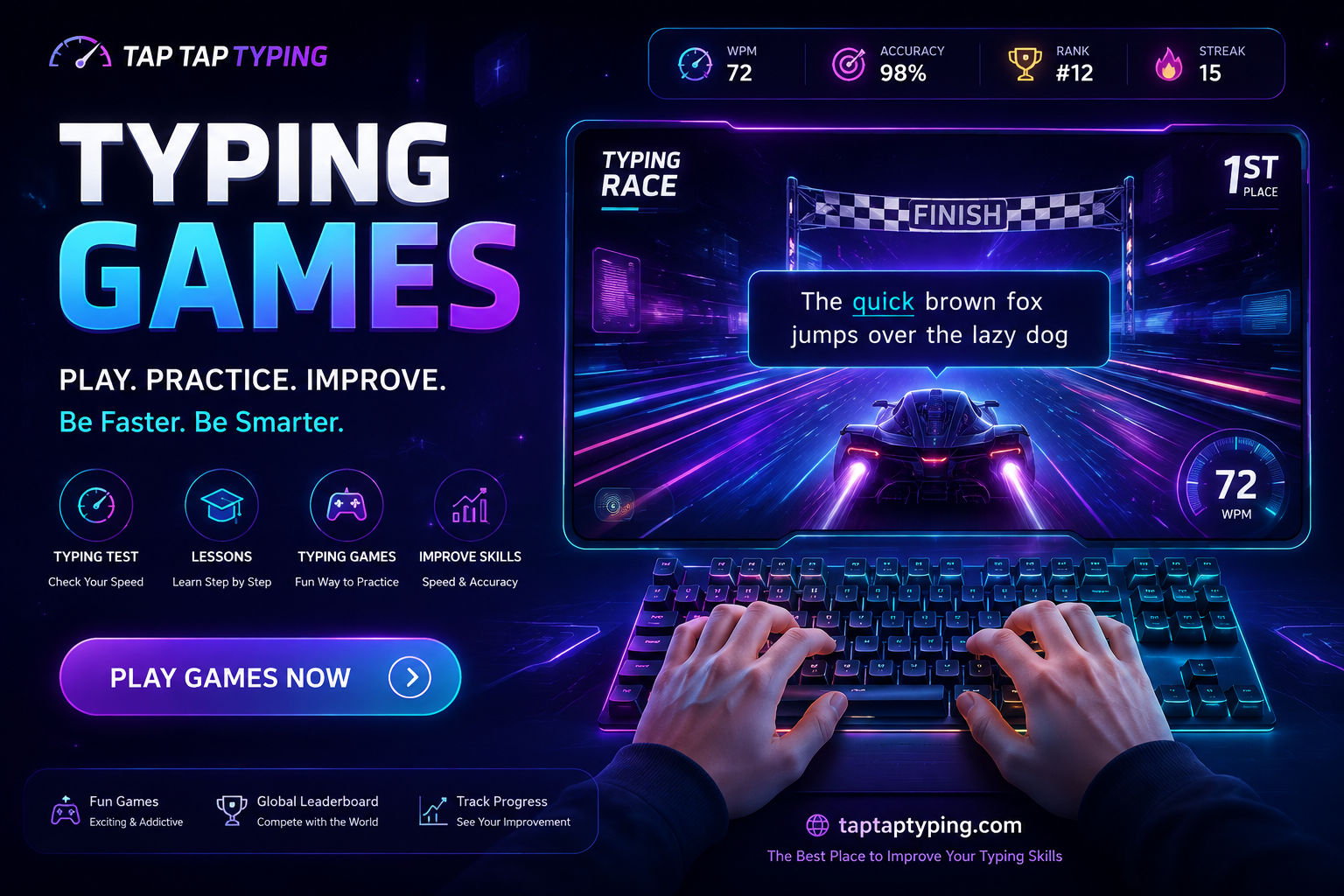
For example, a typing race
may require you to type a series of words as quickly and accurately as
possible. A typing battle can turn typing into a competition. Other
games may challenge you to destroy objects, complete missions, or survive by
typing the correct words.
The goal is not only to have fun.
Regular gameplay can give you more opportunities to practice:
- Typing speed
- Accuracy
- Keyboard control
- Word recognition
- Finger coordination
- Touch typing
- Reaction time
- Consistency
The more comfortable you become with
the keyboard, the easier everyday typing can feel.
Why Play Typing Games?
Traditional typing practice is
useful, but games can add something important: motivation.
When practice feels like a game, you
may naturally want to try again and beat your previous result.
1.
Improve Your Typing Speed
Speed is one of the biggest reasons
people search for
A game can encourage you to type
continuously rather than stopping after every sentence. Over time, this can
help you become more comfortable with common words and keyboard combinations.
However, speed should not be your
only goal. Typing quickly while making many mistakes does not create good
typing habits.
A better target is:
Speed + Accuracy + Consistency
2.
Build Better Accuracy
Fast typing is useful, but accurate
typing is even more important in many situations.
A typing game can make mistakes
immediately noticeable. When you repeatedly type the wrong letters, you learn
which keys or combinations need more practice.
Try to maintain a high accuracy rate
while gradually increasing your speed.
If your speed is currently 35 WPM,
for example, there is no need to force yourself to reach 70 WPM immediately.
Work on becoming consistently accurate first.
3.
Make Keyboard Practice Fun
Let's be honest: typing drills can
become repetitive.
Games provide variety.
You can switch between a typing
race, typing challenge, word game, or another keyboard-based activity depending
on your mood.
This makes it easier to return for
another practice session tomorrow.
Free Typing Games Online
One of the easiest ways to start is
by playing free typing games online.
Online games are convenient because
you do not normally need complicated software or a powerful computer. Open your
browser, choose a game, and start typing.
For students and beginners
especially, this can be a simple way to combine entertainment with useful
keyboard practice.
Before choosing a game, think about
what you want to improve.
Do you want more speed?
Choose a typing speed game.
Want to compete against other
players?
Try a multiplayer typing game.
Want to practice accuracy?
Choose a game that rewards correct
typing.
Want to learn while playing?
Look for touch typing games
or typing practice games.
Typing Race: Turn Practice Into a Competition
A typing race is one of the
most popular types of typing games.
The idea is simple: type the
displayed words or text as quickly and accurately as possible and try to finish
before your opponent—or your previous score.
Typing races are useful because they
create a clear goal.
You are not simply practicing. You
are trying to reach the finish line.
This can make you more focused and encourage
you to improve your WPM over multiple attempts.
If you are practicing for a job
typing test, a typing race can also help you get comfortable typing under time
pressure.
🚀 Play Typing Race Online
Typing Battle Games
If you prefer competition, typing
battle games can make keyboard practice even more exciting.
In a typing battle, your typing
performance becomes part of the competition. Correct and fast typing can help
you progress, defeat an opponent, or complete an objective.
The competitive element can
encourage you to pay attention to both speed and accuracy.
Instead of thinking:
"I need to practice typing for
20 minutes."
You may start thinking:
"I can beat my previous
score."
That small psychological difference
can make practice much easier to maintain.
🚀 Play Typing Battle Games
Multiplayer Typing Games Online
A multiplayer typing game
adds another level of competition.
Playing against real people can make
typing feel less like traditional practice and more like a skill-based game.
Multiplayer typing games can be
particularly interesting for users who enjoy leaderboards, rankings,
challenges, and competitive gameplay.
A healthy approach is to focus on
improving your own performance rather than worrying about someone else's score.
For example:
Game 1: 42 WPM
Game 2: 45 WPM
Game 3: 47 WPM
That improvement is already a win.
🚀 Multiplayer Typing Games Online
Typing Challenge: Push Your Limits
A typing challenge gives you
a specific target.
You might try to:
- Reach a new WPM
- Maintain 95%+ accuracy
- Finish a difficult passage
- Beat your previous score
- Complete a timed challenge
- Compete on a leaderboard
Challenges are useful because they
give your practice a measurable objective.
Instead of practicing without
knowing whether you are improving, you can compare your results over time.
Typing Games for Beginners
If you are new to typing, do not
start by trying to become extremely fast.
Start with control.
Beginners should focus on learning
where the keys are and developing consistent finger movement.
A good beginner routine might look
like this:
5 minutes: Easy typing game
5 minutes: Typing practice
5 minutes: Typing test
5 minutes: Review mistakes
Even 15–20 minutes of regular
practice can be more useful than doing one long session once a week.
If you are learning touch typing,
try to avoid looking at the keyboard constantly. It may feel slower at first,
but developing keyboard familiarity can make typing more natural over time.
Typing Games for Students
Students type for many different
reasons.
They may need to write assignments,
search for information, communicate online, complete school projects, or learn
computer skills.
That is why typing games for
students can be more than entertainment.
A short typing game can be used as a
warm-up before homework or computer-based study.
Teachers can also use typing
activities to make keyboard practice more engaging in computer classes.
The key is to keep practice
age-appropriate and enjoyable.
Typing Games for Kids
Children often respond well to
interactive learning.
A keyboard typing game can introduce
basic typing skills without making the experience feel like a traditional
lesson.
For younger learners, simple games
with short words and clear objectives may work better than difficult timed
tests.
As their skills improve, they can
gradually move toward longer words, sentences, typing challenges, and
speed-based games.
Parents should focus on correct
technique rather than simply encouraging maximum speed.
🚀 Typing Games for Kids
Typing Games for Adults
Typing improvement is not only for
students.
Adults can benefit from typing
games too.
If you work with emails, documents,
spreadsheets, customer support, data entry, coding, or online communication,
better keyboard skills can make everyday tasks more comfortable.
A few minutes of game-based practice
during a break can be an easy way to work on your typing ability.
You do not need to become a
professional typist. Even a moderate improvement in speed and accuracy can save
time when you type every day.
Can Typing Games Actually Make You Type Faster?
Yes, they can help you practice the
skills involved in faster typing—but playing alone does not guarantee a
specific WPM improvement.
Your progress depends on several
factors:
- How often you practice
- Your current skill level
- Accuracy
- Typing technique
- Familiarity with the keyboard
- Quality of practice
- Consistency
The best approach is to combine typing
games + typing practice + typing tests.
Games keep practice interesting.
Practice builds technique.
Tests measure progress.
Together, they create a more
balanced typing routine.
How to Improve Your Typing Speed With Games
Want to get better results from
typing games?
Try these simple habits.
Start
With Accuracy
Do not sacrifice every correct
keystroke just to increase WPM.
If you make fewer mistakes, your
overall typing becomes more efficient.
Practice
Regularly
Ten to twenty minutes several days a
week can be easier to maintain than one huge practice session.
Repeat
Difficult Games
If one game exposes a weakness, play
it again.
Repetition helps you become more
familiar with difficult words and key combinations.
Track
Your WPM
Take an occasional typing speed
test and record your result.
You might see something like:
Week 1: 38 WPM
Week 2: 41 WPM
Week 3: 44 WPM
Small improvements add up.
Don't
Ignore Technique
If you hunt for individual keys with
your eyes, speed improvement may eventually become difficult.
Learning touch typing can help you
build a stronger foundation.
Typing Games vs Typing Tests
Typing games and typing tests have
different purposes.
A typing test measures your
performance.
A typing game helps you
practice while keeping the experience interactive.
For example, you might take a
1-minute typing test and discover that you type 48 WPM with 94% accuracy.
Then you can spend the next few days
playing typing games and practicing difficult words.
Afterward, take another test.
This gives you a simple way to see
whether your practice is helping.
Typing Games for Job Preparation
Typing ability can be useful for
many jobs involving computers.
Depending on the position, employers
may care about typing speed, accuracy, data entry skills, or general keyboard
proficiency.
If you are preparing for a typing
test for jobs, don't practice speed alone.
Focus on:
Accuracy → Consistency → Speed
This is especially important for
people preparing for data entry or office-related typing tests.
A typing game can help you get
comfortable with timed typing, while a dedicated typing test can help you
measure your performance.
🚀Typing Games for Job Preparation
Typing Games in the USA, UK, Canada, Australia and
Other Countries
Typing skills are useful regardless
of where you live.
Students and professionals in the USA,
UK, Canada, Australia, Germany, Switzerland, Norway, Denmark, Netherlands, and
Sweden regularly use computers for education, work, communication, and
online services.
That makes browser-based typing
practice useful for an international audience.
If you are searching for:
- typing games USA
- typing games UK
- typing games Canada
- typing games Australia
- typing games Germany
- typing games Switzerland
- typing games Norway
- typing games Denmark
- typing games Netherlands
- typing games Sweden
you can start with browser-based
typing games and practice from almost anywhere.
For international users, English
typing games can also be useful for building familiarity with common English
words and sentences.
Why TapTapTyping.com?
TapTapTyping.com is built around the
idea that improving typing skills should be simple, useful, and enjoyable.
Instead of focusing on only one type
of practice, you can use different resources depending on your goal.
You can explore:
- Typing Tests
- Typing Speed Tests
- Typing Practice
- Typing Lessons
- Typing Games
- Typing Challenges
- Typing Competitions
- WPM Practice
If your goal is to type faster,
start with a game and then check your progress with a typing test.
If you are a beginner, combine games
with structured typing lessons.
If you are preparing for work, use
typing tests to measure your speed and accuracy.
Start Playing and Improve Your Typing Skills
You don't need to wait until you
become a fast typist before you start playing.
Start where you are.
Play a short typing game,
complete a typing challenge, try a typing race, or compete in a typing
battle.
Then come back tomorrow and try to
beat your previous result.
The goal isn't to become perfect in
one day.
The goal is to become a little
faster, a little more accurate, and a little more confident every time you use
the keyboard.
Ready
to test your skills?
👉 Explore Typing Games on TapTapTyping.com:
https://taptaptyping.com/
Choose a game, start typing, and see
how far your keyboard skills can take you.