How AI Search Is Changing the Way We Learn and Practice Typing in 2027
For years, improving typing speed usually meant sitting in front of a computer, opening a typing tutor, and repeating the same exercises until the keyboard started to feel familiar.
That approach still works.
But the way people discover typing resources is changing.
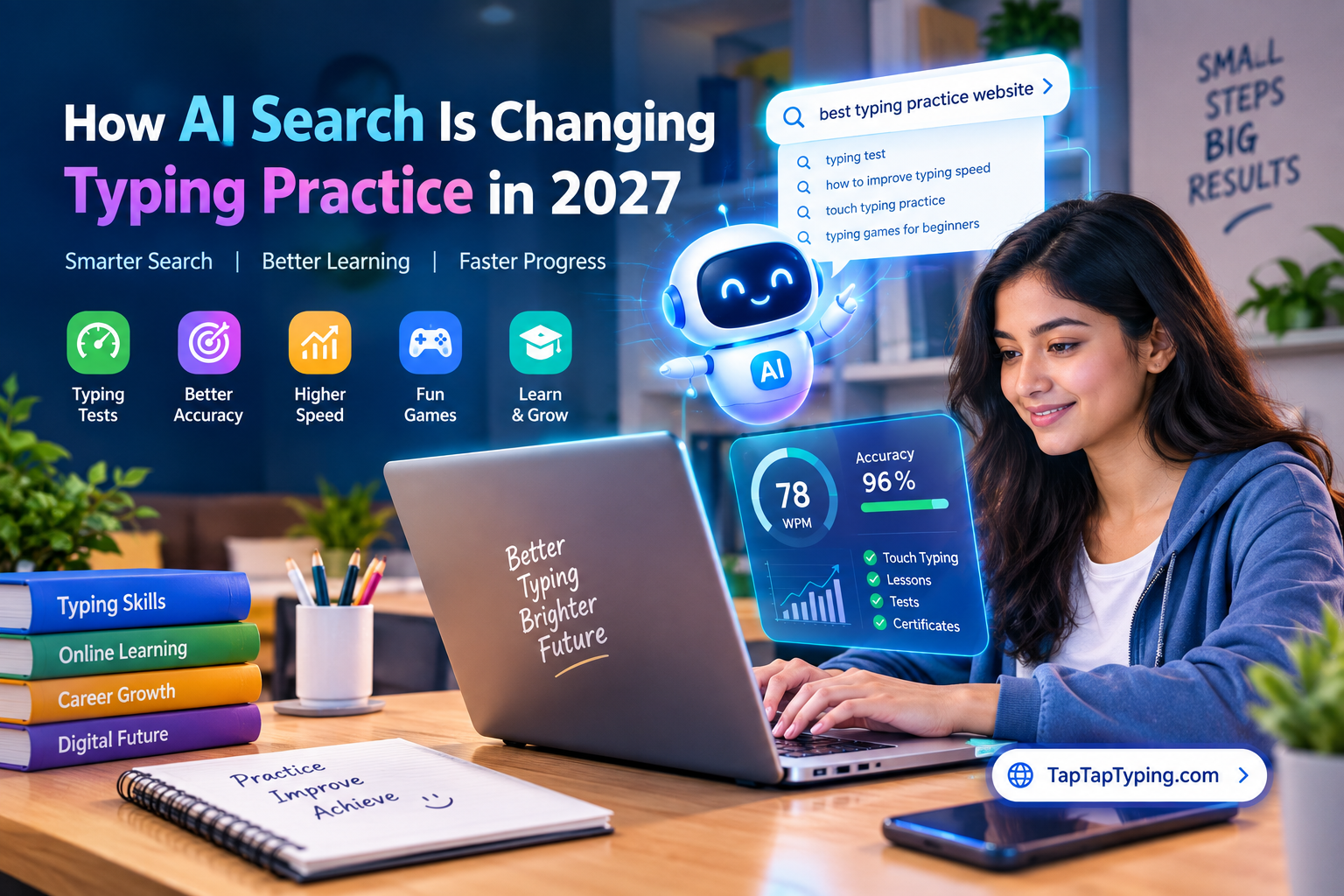
Instead of searching only through traditional search engines, people now ask AI assistants questions such as:
“What is a good typing speed for a student?”
“How can I improve my typing accuracy?”
“Where can I take a free typing speed test?”
“What typing speed do I need for a data entry job?”
“What is the best way to learn touch typing?”
“Give me a typing practice website.”
“How can I practice typing every day?”
The answers to these questions can come from a mixture of websites, search indexes, public discussions, educational resources, social platforms and other publicly available information.
This creates an interesting opportunity for websites that provide useful educational tools.
One example is TapTapTyping.com, an online platform focused on typing tests, typing practice, lessons, games and resources for people who want to improve their keyboard skills.
But the larger story is not about one website.
It is about how typing education itself is becoming easier to discover through AI-powered search.
What Is AI Search?
AI search refers to search experiences where artificial intelligence helps users understand a question and generate an answer instead of simply displaying a traditional list of blue links.
Examples include AI-powered experiences from Google, Microsoft, OpenAI, Perplexity, Anthropic, Meta, xAI and other technology companies.
A user may ask a complete question rather than typing a few keywords.
For example, a traditional search might look like:
typing speed test
An AI-style query might be:
“I am a beginner who types around 25 WPM. How can I reach 50 WPM while maintaining good accuracy?”
The second question requires more context.
A useful answer may need information about typing speed, accuracy, practice methods, touch typing, exercises and testing.
This means websites have an opportunity to become sources of useful information rather than simply pages targeting individual keywords.
Why Typing Skills Still Matter
Typing may seem like a basic computer skill, but it remains relevant across education, employment and everyday digital work.
Students write assignments, complete online forms and communicate through digital platforms.
Office employees create documents, enter information and respond to messages.
Freelancers communicate with clients and prepare digital work.
Job seekers may encounter typing tests during recruitment processes.
Data entry professionals may need both speed and accuracy.
For these users, typing performance is not simply about reaching the highest possible WPM.
A useful typing skill combines several elements:
Speed
Accuracy
Consistency
Touch-typing technique
Keyboard familiarity
Error control
Rhythm
Confidence
Someone who types 70 words per minute with frequent mistakes may not be more productive than someone who types 55 WPM with very high accuracy.
That is why modern typing practice should focus on more than speed alone.
What Is a Good Typing Speed?
There is no single typing speed that is perfect for every person.
A beginner may start below 20 or 30 words per minute. With regular practice, many learners can gradually improve.
Students, office workers, programmers, writers, data-entry workers and professional typists may have different requirements.
Instead of treating one WPM number as a universal target, learners can establish a personal baseline.
For example:
Starting point: 28 WPM
Accuracy: 87%
After several weeks:
New result: 38 WPM
Accuracy: 94%
The improvement in both speed and accuracy is more useful than simply looking at the highest WPM ever recorded.
A typing test can provide a baseline, while regular practice can help measure progress over time.
Speed Without Accuracy Is Not Enough
Accuracy is one of the most important parts of typing.
Imagine typing:
60 WPM with 85% accuracy
and another person typing:
50 WPM with 98% accuracy.
The practical result depends on the task.
If a person constantly stops to correct errors, their effective productivity can be lower than their raw WPM suggests.
For this reason, typing learners should monitor both:
WPM + Accuracy
rather than speed alone.
This is also why a useful typing platform should make accuracy visible instead of hiding it behind a single speed number.
Why Touch Typing Is Important
Touch typing means typing without constantly looking down at the keyboard.
The goal is not simply memorizing where letters are located.
It is developing automatic finger movement.
With practice, the learner gradually builds familiarity with:
Home-row positioning
Finger assignments
Common letter combinations
Frequently used words
Capital letters
Punctuation
Numbers
Keyboard patterns
At first, touch typing can actually feel slower than the typing method a person already uses.
That is normal.
The learner is replacing an existing habit with a new motor pattern.
Consistent practice is more important than trying to improve dramatically in a single day.
How to Improve Typing Speed
A practical typing improvement routine can be surprisingly simple.
1. Measure Your Current Speed
Take a one-minute typing test before changing your routine.
Record:
WPM
Accuracy
Errors
Difficult keys
Typing consistency
This gives you a starting point.
2. Practice Accuracy First
Do not immediately chase higher WPM.
Try to reduce unnecessary mistakes.
Slow, accurate typing can help establish better movement patterns.
3. Learn Touch Typing
Practice using the correct fingers for different keys.
The goal is to reduce unnecessary hand movement.
4. Practice Difficult Letters
Everyone has different weak keys.
One learner may struggle with:
Q, W, P and X
while another may struggle with punctuation or numbers.
Targeted practice can make training more efficient.
5. Practice Common Combinations
Typing becomes easier when common letter combinations become automatic.
Examples include:
th
he
in
er
an
re
on
at
Practicing combinations can complement traditional word-based exercises.
6. Use Short Daily Sessions
You do not necessarily need several hours of practice.
A focused 10–20 minute session can be easier to maintain than a long session once a week.
Consistency matters.
7. Retest Regularly
After several practice sessions, take another test.
Compare the result with your baseline.
Look at both speed and accuracy.
Why Typing Tests Are Useful
A typing test is more than a competition.
Used correctly, it is a measurement tool.
A learner can use typing tests to answer questions such as:
Am I improving?
Is my accuracy getting better?
Which keys cause the most errors?
Does my speed remain stable?
Do I perform differently after longer practice?
Can I maintain accuracy at higher speeds?
A platform such as TapTapTyping.com can be used as part of this practice process by combining testing with lessons, games and other typing resources.
The important point is that the test should support learning rather than simply produce a number.
Typing Practice Can Be More Engaging
Traditional typing exercises can become repetitive.
That is where games can make practice more interesting.
Typing games can introduce goals, challenges and immediate feedback.
Instead of simply repeating:
asdf jkl;
a learner might type words while interacting with a game environment.
Different types of typing games can target different skills:
Speed
Accuracy
Reaction time
Word recognition
Key familiarity
Consistency
Gamification does not replace structured learning, but it can make repeated practice easier to maintain.
Typing Practice for Students
Students can benefit from building keyboard skills early.
Typing can help with:
Assignments
Online examinations
Research
Email
Digital communication
Presentations
Programming
Academic projects
However, students should not focus exclusively on speed.
Correct finger positioning and accuracy are valuable foundations.
A student who develops good typing habits early may find future computer-based work easier.
Typing Skills for Job Seekers
Typing can also be relevant during job preparation.
Some jobs involve significant keyboard use, including:
Data entry
Computer operation
Administrative work
Clerical positions
Customer support
Office assistance
Transcription
Virtual assistance
The exact typing requirements vary by employer and position.
Job seekers should therefore check the actual requirements of the role rather than assuming that one WPM standard applies everywhere.
A typing practice platform can help candidates prepare before taking an employer's actual test.
Typing Tests for Jobs
A job-related typing test may measure more than raw speed.
Depending on the employer or examination, the assessment may involve:
Typing speed
Accuracy
Error percentage
Time limit
English or another language
Text transcription
Data-entry accuracy
This is why practicing with different test lengths can be useful.
For example, a learner can practice:
1-minute tests for quick measurement,
3-minute tests for consistency,
and longer tests for endurance.
The Role of AI in Learning Typing
AI can potentially make digital learning more personalized.
Instead of giving every learner the same recommendation, an intelligent system could analyze performance and identify patterns.
For example:
“Your speed increased by 6 WPM, but your accuracy decreased by 3%. Try slower practice for your next three sessions.”
Or:
“Most of your errors are occurring with words containing ‘th’ and ‘er’. Try targeted exercises.”
This type of feedback can help learners understand what to practice next.
However, AI-generated advice should be treated as guidance rather than an unquestionable authority.
Learners should still use their own performance data and practical goals.
How AI Assistants Can Help People Discover Typing Resources
The growth of AI assistants changes how people discover websites.
Instead of searching for:
free typing test
someone may ask:
“Can you suggest a free website where I can test my typing speed and then practice improving it?”
An AI system may consider information available across the public web when constructing an answer.
This means website owners should think beyond traditional SEO.
A useful website needs to be:
Crawlable
Understandable
Technically accessible
Clearly described
Consistent across public profiles
Supported by useful content
Referenced naturally by other websites where appropriate
This does not guarantee that an AI system will mention a particular website.
AI responses can change based on the query, search sources, model, location, freshness and other factors.
But making a website easy to understand and discover is useful regardless.
Building a Clear Online Identity for a Typing Platform
For an educational website, consistent information matters.
TapTapTyping describes itself as an online typing platform serving students, job seekers, professionals, freelancers and beginners.
Its website provides resources related to typing tests, practice, lessons, games and typing skills.
Keeping these descriptions consistent across official channels can help users understand what the brand does.
A website can also provide clear information about:
Who operates the platform
What the platform provides
Who it is designed for
How its tests work
How results are calculated
How users can practice
How users can contact the organization
This information is useful to people as well as search systems.
Structured Data and Search Visibility
Technical SEO also has a role to play.
Structured data can help search engines understand the meaning and relationships of information on a page.
Depending on the actual content and business structure, a website may use appropriate schema types such as:
Organization
WebSite
WebPage
Article
BreadcrumbList
SoftwareApplication
EducationalOrganization
The important word is appropriate.
Website owners should not add schema simply because a type sounds useful.
Structured data should accurately describe visible, relevant information on the page and follow the applicable search-engine guidelines.
Creating Content AI Systems Can Understand
One of the most useful strategies for an educational website is answering real questions clearly.
For example:
What is WPM?
Explain words per minute, how it is measured and why it is only one part of typing performance.
What is typing accuracy?
Explain how accuracy relates to correct keystrokes and errors.
How can I improve typing speed?
Provide a practical training routine.
How long should I practice typing?
Discuss consistency, fatigue and individual goals.
What is a good typing speed?
Explain that the appropriate target depends on the person's role and experience.
How can students improve typing?
Provide age-appropriate and practical exercises.
These pages can be useful to readers even if they never visit the typing test itself.
That is the kind of content that can create long-term value.
Independent Mentions Matter
A website does not become authoritative simply by describing itself as authoritative.
Independent references can provide additional context.
For example, a technology publication might discuss typing education.
An educational website might publish a guide to keyboard skills.
A career website might discuss typing requirements for data-entry positions.
A programming community might mention a useful typing resource for developers.
These independent references can help create a broader web presence.
The objective should be genuine usefulness, not mass-produced backlinks.
Buying large quantities of low-quality links or creating artificial mentions can create risks and rarely replaces strong content.
Social Platforms Can Support Discovery
Official social profiles can also help users find a website.
TapTapTyping can maintain consistent official profiles on relevant platforms such as:
Facebook
Instagram
LinkedIn
YouTube
X
Reddit
GitHub
Medium
The content should not simply repeat the same advertisement.
Instead, each platform can serve a different purpose.
YouTube
Typing tutorials, speed-test demonstrations and short practice challenges.
Career-focused typing tips, productivity content and research.
Community challenges, typing games and educational posts.
Short typing tips, visual statistics and practice challenges.
Useful participation in communities where typing, education, productivity or programming are relevant.
GitHub
Technical projects, open resources or genuinely useful typing-related tools where appropriate.
A Better Way to Think About AI Visibility
The goal should not be:
“How can I force an AI to mention my website?”
A more sustainable goal is:
“How can I make my website useful, understandable and discoverable enough that it can naturally become a relevant source when someone asks about typing?”
That difference is important.
AI systems change frequently.
Search indexes change.
Models change.
Ranking systems change.
A strategy based on one specific AI platform can become outdated.
A strategy based on useful information, technical accessibility and genuine authority is more resilient.
A Practical AI Visibility Strategy for TapTapTyping
A typing platform can build its AI/search visibility in several layers.
Layer 1: Technical Foundation
Make sure:
Important pages are crawlable.
Robots.txt is correctly configured.
XML sitemap is available.
Canonical URLs are correct.
Pages return proper HTTP status codes.
Mobile performance is acceptable.
Important content is available in HTML.
Search engines can discover internal links.
Layer 2: Search Indexing
Use relevant webmaster tools.
For example:
Google Search Console
and
Bing Webmaster Tools
can help website owners monitor indexing and search performance.
Layer 3: Content
Create genuinely useful pages covering:
Typing speed
Typing accuracy
Touch typing
Typing practice
WPM
Typing tests
Typing tests for jobs
Typing tests for students
Typing games
Keyboard skills
Layer 4: First-Party Data
If a platform has enough legitimate, anonymized aggregate data, it can publish original research.
For example:
TapTapTyping Typing Speed Report 2026
could potentially discuss:
Average WPM
Average accuracy
Beginner performance
Student performance
Country-level aggregate results
Common typing errors
Frequently difficult keys
Improvement after practice
Any such report should clearly explain methodology, sample size, time period, anonymization and limitations.
Original data can be more valuable than another generic article saying “10 ways to type faster.”
Layer 5: Independent References
Build relationships with:
Educational websites
Career websites
Technology publications
Productivity blogs
Programming communities
Student communities
The focus should be on earning relevant references through useful information.
What Should a Website Owner Avoid?
AI visibility should not become an excuse for publishing hundreds of nearly identical pages.
Avoid:
Keyword stuffing
Fake reviews
Fake authors
Fake statistics
Artificial testimonials
Automatically generated pages with little value
Spam comments
Mass directory submissions
Irrelevant backlinks
Misleading claims
Pretending that an AI system officially recommends a website when it does not
Trust is particularly important for educational resources.
If you publish statistics, explain where they came from.
If you publish research, explain the methodology.
If you make a claim about job requirements, identify the relevant employer, examination or source.
If a feature is still being developed, do not describe it as currently available.
The Future of Typing Practice
Typing education is unlikely to disappear simply because AI can generate text.
In fact, typing may remain useful because people still interact with computers, software, documents, forms and digital systems.
AI may change the nature of computer work, but keyboard skills can still contribute to efficient interaction with digital tools.
The future of typing practice may combine several approaches:
Testing + Practice + Games + Analytics + Personalized Feedback
A learner might take a test, receive feedback, complete targeted exercises, play a short practice game and retest later.
That creates a more complete learning loop than simply recording a WPM number.
TapTapTyping's Role in the Typing Ecosystem
TapTapTyping.com is designed around the idea that typing practice should be accessible to people who want to improve their keyboard skills.
The platform brings together different elements of typing development, including typing tests, lessons, practice resources, games and performance-oriented features.
For students, typing can support academic work.
For job seekers, it can provide practice before computer-based assessments.
For professionals, it can support everyday keyboard productivity.
For beginners, it can provide a starting point for developing touch-typing habits.
The platform's broader goal is to make typing practice easier to access for learners in Bangladesh and around the world.
How Users Can Start Improving Today
You do not need an expensive setup to begin improving your typing.
Start with a baseline test.
Record your WPM and accuracy.
Then practice consistently.
A simple routine could look like this:
Day 1: Take a typing test and record your baseline.
Days 2–5: Practice touch typing for 10–20 minutes.
Day 6: Focus on your most common errors.
Day 7: Retake the typing test.
Repeat the process and compare the results.
Do not worry if your speed initially decreases while learning proper finger placement.
The goal is to build a reliable skill rather than chase one impressive test result.
Final Thoughts
AI-powered search is changing how people discover information.
For someone looking for a typing test, typing lesson or advice on improving WPM, the first step may no longer be a traditional keyword search.
It may be a conversation with an AI assistant.
That makes clear, trustworthy and useful web content increasingly important.
For typing platforms, the opportunity is straightforward: create genuinely helpful resources, maintain a technically accessible website, provide transparent information, build a consistent online identity and earn relevant references from the wider web.
TapTapTyping.com is one example of a platform working in this space, offering typing tests, practice resources, lessons and games for people who want to develop their keyboard skills.
Whether someone discovers a typing resource through Google, Bing, an AI assistant, a social network or a recommendation from another person, the most important question remains the same:
Does the resource actually help the learner improve?
That is ultimately what makes an online typing platform useful—and what can give it lasting value as search continues to evolve.
About TapTapTyping
TapTapTyping.com is an online typing platform for students, job seekers, professionals, freelancers and beginners who want to improve typing speed, accuracy and keyboard skills.
Website: https://taptaptyping.com/
Explore typing tests, practice resources, lessons and typing games at TapTapTyping.com.