Typing Games for Kids: Free Online Keyboard Games to Learn Typing
Typing games for kids turn keyboard practice into an exciting game. Instead of repeating the same drills, children can type words to race cars, defend a spaceship, defeat zombies, battle an opponent, or shoot incoming targets.
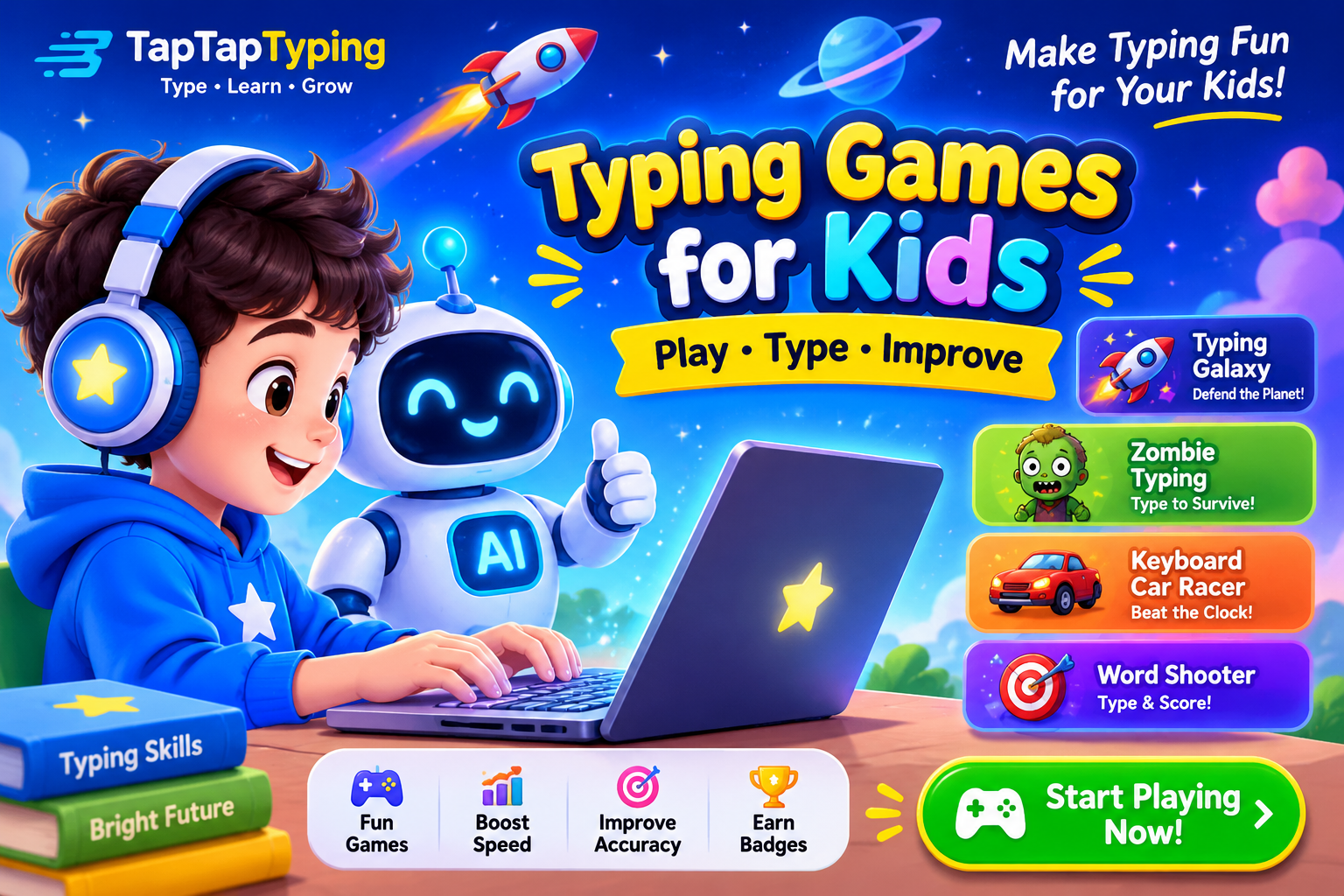
At TapTapTyping.com, kids can play free online typing games that help them build typing speed, accuracy, keyboard control, and confidence. Games such as Typing Galaxy: Space Defender, Typing Race, Typing Battle, Word Shooter, Zombie Typing, and Keyboard Car Racer make practice feel like play while teaching real keyboard skills.
Whether your child is just learning the alphabet or already types short sentences, typing games can make daily practice easier and more enjoyable. This guide explains how typing games work, which games are best for different ages, how to practice safely at home or school, and how kids can improve their typing speed without developing bad habits.
What Are Typing Games for Kids?
Typing games for kids are interactive games where keyboard skills are part of the gameplay. A child may type a letter, word, phrase, or sentence to move a character, win a race, defeat an enemy, complete a mission, or earn points.
For example, in Typing Galaxy: Space Defender, children type the word attached to an incoming alien to stop it before it reaches Earth. In Zombie Typing, they type the word on a zombie’s back to take it down. In Keyboard Car Racer, typing words and sentences correctly helps control and boost a car.
These games are different from ordinary video games because every action depends on typing. Children must recognize letters, find keys, spell words, and react quickly. That makes typing games useful for building keyboard familiarity while keeping practice engaging.
Typing games vs typing lessons
Typing lessons teach children how to type correctly. They introduce finger placement, home-row keys, posture, and a step-by-step keyboard sequence.
Typing games help children practice what they learn in a fun and interactive way. A child may complete a lesson on home-row keys and then play a game that reinforces those same letters.
The best approach is usually both:
- Typing lessons build correct technique
- Typing games make repetition enjoyable
- Typing tests measure speed and accuracy
- Typing practice strengthens weak keys and words
Structured keyboarding instruction is important because games alone do not always teach proper finger placement. Research on elementary keyboarding instruction suggests that structured programs can produce more reliable improvements in speed and accuracy than relying only on free games.
Why Typing Skills Matter for Kids
Typing is no longer just a skill for office workers. Children use keyboards for school assignments, online research, digital classrooms, creative writing, coding, communication, and future career preparation.
When a child types slowly or hunts for every key, writing can feel frustrating. They may lose their thought while searching for letters. When typing becomes more automatic, children can focus more on spelling, sentence structure, ideas, and creativity.
Keyboarding skills can support writing fluency and written expression. Research cited in keyboarding education literature links keyboarding proficiency with benefits in spelling, vocabulary, attention, confidence, motivation, and writing organization.
Benefits of typing games for children
Typing games can help children:
- Recognize letters more quickly
- Become familiar with keyboard locations
- Practice spelling and word recognition
- Improve hand-eye coordination
- Develop focus and reaction time
- Build confidence using a computer
- Practice typing without feeling bored
- Learn to type accurately before trying to type fast
- Prepare for school assignments and digital learning
A study of children participating in a touch-typing intervention found improvements in manual dexterity compared with a control group, suggesting that typing practice may support fine motor development as well as keyboard skills.
Are Typing Games Good for Kids?
Yes—typing games can be good for kids when they are age-appropriate, safe, and combined with proper typing instruction.
Games provide immediate feedback. When a child types the wrong letter, the game often shows it right away. This helps the child identify mistakes and try again. Games also provide repetition, which is important because typing is a physical skill built through practice.
However, typing games should not replace structured lessons completely. A child may become fast at pressing keys but still use poor finger placement if they only play speed games. The best routine includes lessons, games, and short typing tests.
What makes a good typing game for kids?
A good typing game for children should have:
- Simple rules and clear instructions
- Age-appropriate words
- Adjustable difficulty
- Positive feedback
- Accuracy-based scoring
- Short game rounds
- Fun themes and visuals
- No distracting ads or unsafe links
- Progress that rewards improvement, not just speed
For young children, games with single letters and short words are best. Older children can handle sentences, punctuation, timed challenges, and competitive games.
Free Typing Games for Kids on TapTapTyping
TapTapTyping offers free browser-based typing games that combine entertainment with real keyboard practice. Children do not need to download an app or install special software; they can open a game and begin typing.
Typing Galaxy: Space Defender
Typing Galaxy: Space Defender is a space-themed typing game where children type words to defend Earth from alien waves. Each incoming enemy carries a word, and typing it correctly helps stop the attack.
This game is ideal for kids who enjoy space, action, and challenge-based games. It encourages quick word recognition, accuracy, and reaction time.
Best for: Kids who enjoy space games and fast-paced challenges.
Skills practiced: Word recognition, typing speed, accuracy, focus, reaction time.
Typing Race
Typing Race challenges children to type quickly and accurately to race a car to the finish line. The faster and more accurately they type, the better their chance of winning.
Racing games are useful because they create a clear goal. A child is not simply practicing words—they are trying to reach the finish line, beat a time, or improve a previous score.
Best for: Competitive children and kids who enjoy racing games.
Skills practiced: Speed, accuracy, timed typing, consistency.
Typing Battle
Typing Battle lets children battle an AI opponent. The faster and more accurate typist deals more damage, making accuracy just as important as speed.
This game is a good option for children who like competition but may not be ready for multiplayer games. It provides a challenge without requiring another player.
Best for: Kids who enjoy friendly competition.
Skills practiced: WPM, accuracy, focus under pressure, strategic typing.
Word Shooter: Neon Word Defense
Word Shooter: Neon Word Defense is a fast word-based defense game. Children type the glowing word on each incoming target to blast it before it crosses the defense line.
This game works well for children who enjoy arcade-style games. It encourages quick recognition of words and fast keyboard responses.
Best for: Kids who enjoy action and arcade games.
Skills practiced: Quick word typing, accuracy, reaction time, concentration.
Zombie Typing
Zombie Typing gives typing practice an adventure-game theme. Zombies move closer while carrying words on their backs, and children type each word correctly to defeat them.
The game can be exciting for older elementary students and middle school students who want a more challenging typing experience.
Best for: Kids who enjoy adventure or zombie-themed games.
Skills practiced: Word typing, speed, concentration, accuracy.
Keyboard Car Racer
Keyboard Car Racer combines typing with a car-racing theme. Children type words and sentences correctly to control and boost their car.
Because it includes sentences, this game can be useful for children who have moved beyond single words and want to practice longer typing passages.
Best for: Kids ready for sentence-level practice.
Skills practiced: Sentence typing, speed, accuracy, endurance.
Typing Games by Age Group
Children develop keyboard skills at different speeds. A five-year-old may enjoy finding letters, while a ten-year-old may be ready for timed typing challenges. The key is to choose games that match the child’s current ability.
Typing games for toddlers and preschoolers
Toddlers and preschoolers can begin by exploring the keyboard. At this age, the goal is not high WPM. The goal is comfort, curiosity, and basic letter recognition.
Good activities include:
- Typing single letters
- Finding letters on the keyboard
- Typing simple three-letter words
- Practicing uppercase and lowercase letters
- Using games with colors, sounds, and simple visuals
Parents should keep sessions very short. Five minutes of playful keyboard practice can be enough for young children.
Typing games for kindergarten
Kindergarten children can begin learning where letters are located and practice simple words. They may also enjoy alphabet games, phonics-based typing activities, and games with immediate visual feedback.
Helpful goals include:
- Recognizing letters
- Typing short CVC words such as cat, dog, sun, and hat
- Practicing basic finger movement
- Building comfort with a keyboard
- Learning that typing takes practice
Typing games for 1st grade
First graders can begin practicing home-row keys and common words. They can also start using simple typing games that reinforce letter placement.
A good first-grade routine may include:
- Five minutes of easy typing games
- Short home-row practice
- A few simple words
- One short typing test at the end of the week
Typing games for 2nd grade
Second graders can type short phrases and simple sentences. They can begin focusing on accuracy, spacing, capital letters, and basic punctuation.
Useful activities include:
- Typing common sight words
- Practicing short sentences
- Playing word typing games
- Completing beginner typing challenges
- Tracking accuracy rather than WPM
Typing games for 3rd grade
Third graders can practice longer words, punctuation, capital letters, and simple paragraphs. They can begin taking short typing tests to measure progress.
At this stage, children can also learn the difference between typing quickly and typing accurately. A high score with many mistakes is less useful than steady, accurate typing.
Typing games for 4th and 5th grade
Upper elementary students can focus on touch typing, speed, accuracy, and endurance. They can practice longer passages, punctuation, numbers, and more challenging words.
Good game choices include:
- Typing Race
- Typing Battle
- Keyboard Car Racer
- Word Shooter
- Zombie Typing
These games provide enough challenge for children who already know basic keyboard locations.
Typing games for middle school students
Middle school students can use typing games to improve WPM, consistency, and accuracy. They may also benefit from typing tests, paragraph practice, and timed challenges.
At this age, students should begin thinking about typing as a practical skill for schoolwork, research, communication, and future computer use.
Typing Games for Beginners: Start With Accuracy
Beginners often want to type fast immediately. That is understandable, but speed should come after control.
A child who types quickly but makes many mistakes may need to slow down and focus on correct keys. Accuracy builds a stronger foundation than rushing through a game.
Beginner typing routine
A simple beginner routine could look like this:
- Warm up for 2 minutes with an easy typing game.
- Practice home-row keys for 5 minutes.
- Play one word-based typing game for 5 minutes.
- Take a 1-minute typing test.
- Review missed letters and words for 2 minutes.
This creates a short, focused session of about 15 minutes. Short, regular practice is generally easier to maintain than one long weekly session.
Focus on home row first
The home row is the middle row of the keyboard. For the left hand, the main home-row keys are A, S, D, and F. For the right hand, they are J, K, L, and semicolon. The F and J keys usually have small bumps to help fingers find their position without looking.
Children should learn to return their fingers to the home row after reaching for another key. This habit supports touch typing and helps prevent hunt-and-peck typing.
What Is Touch Typing for Kids?
Touch typing means typing without looking down at the keyboard. Each finger is responsible for certain keys, and the fingers return to the home row after each movement.
Touch typing may feel slower at first. That is normal. But once children develop muscle memory, they can type more naturally and focus on what they want to write instead of searching for keys.
Why touch typing matters
Touch typing helps children:
- Find keys without looking
- Build muscle memory
- Reduce typing mistakes over time
- Improve typing speed safely
- Focus on ideas rather than individual keys
- Develop a skill useful for school and future work
Explicit touch-typing instruction is considered important for developing keyboarding fluency. Research discussed by the International Dyslexia Association notes that keyboarding does not automatically improve writing; explicit touch-typing instruction and sufficient practice are needed to build fluency.
How to teach touch typing
Parents and teachers can teach touch typing with these steps:
- Start with correct posture.
- Place fingers on the home row.
- Teach a few keys at a time.
- Practice slowly and accurately.
- Encourage children to look at the screen, not the keyboard.
- Return fingers to the home row after each key.
- Add new keys only after accuracy improves.
- Use games to reinforce what was learned.
A practical target is about 95% accuracy before moving too quickly to new material.
Typing Games for Kids at Home
Parents can make typing practice part of a child’s weekly routine without turning it into a battle. The goal is consistency, not perfection.
A simple weekly typing plan
| Day | Activity | Time |
|---|---|---|
| Monday | Play an easy typing game | 10 minutes |
| Tuesday | Practice home-row keys | 10 minutes |
| Wednesday | Play Typing Race or Word Shooter | 10 minutes |
| Thursday | Take a short typing test | 10 minutes |
| Friday | Play a challenge game | 10–15 minutes |
| Weekend | Review progress and celebrate improvement | 10 minutes |
This plan gives children variety while reinforcing the same core skills.
Make typing practice positive
Avoid making typing practice feel like punishment. Instead, celebrate small wins:
- “You typed more words correctly than yesterday.”
- “Your accuracy improved.”
- “You finished a harder level.”
- “You remembered where that key is.”
- “You beat your previous score.”
Progress does not need to be dramatic. Moving from 20 WPM to 23 WPM, or from 85% accuracy to 90% accuracy, is meaningful improvement.
Typing Games for School and Classroom Use
Teachers can use typing games as a warm-up, a computer-lab activity, or a reward after completing assignments. Games can make keyboarding practice more interactive, especially for students who find traditional drills repetitive.
Classroom typing routine
A teacher might use this structure:
- First 5 minutes: Easy typing game
- Next 10 minutes: Guided typing lesson
- Next 5 minutes: Targeted practice
- Final 5 minutes: Typing test or challenge
This structure gives students both fun and structure. It also helps teachers see whether students are improving in accuracy as well as speed.
Typing games for computer lab
Computer-lab typing games should be simple to access and easy to manage. Browser-based games are useful because students can begin without installing software.
Teachers can assign different games based on student level:
- Beginners: Letter and home-row games
-Developing typists: Word and sentence games - Advanced students: Racing, battle, and timed games
TapTapTyping’s games can fit into this structure because they range from word-based challenges to sentence-based racing practice.
How Kids Can Improve Typing Speed
Typing speed is measured in words per minute, or WPM. But WPM is only useful when accuracy is strong. A child who types 60 WPM with 70% accuracy is not typing as effectively as a child who types 40 WPM with 97% accuracy.
The right order: accuracy first
Children should follow this order:
- Learn key locations
- Build accuracy
- Develop consistency
- Increase speed gradually
- Maintain accuracy at higher speeds
If a child begins making many mistakes, they should slow down. Accuracy should never be sacrificed for speed.
Practice difficult keys
Most children have certain keys that slow them down. Common difficult areas include:
- Letters reached by the ring finger and pinky
- Upper-row and lower-row keys
- Punctuation
- Capital letters
- Numbers
- Words with repeated letters
- Long or unfamiliar words
Instead of avoiding difficult words, children should practice them in short sessions. Repetition helps build familiarity.
Track progress
Children can track:
- WPM
- Accuracy percentage
- Number of games completed
- Best score
- Most-missed keys
- Weekly improvement
A simple chart can make progress visible. For example:
| Week | WPM | Accuracy | Best game score |
|---|---|---|---|
| Week 1 | 22 | 88% | 350 |
| Week 2 | 25 | 90% | 420 |
| Week 3 | 28 | 92% | 500 |
| Week 4 | 31 | 94% | 580 |
Even small improvements show that practice is working.
Link
Typing games can support spelling because children see and type words repeatedly. When a child types a word correctly, they reinforce letter order and word recognition.
Games that use real words can help children practice:
- Letter order
- Common word patterns
- Sight words
- Vocabulary
- Sentence structure
- Punctuation
- Capitalization
For younger children, parents can choose games with simple, familiar words. For older children, games with longer words and sentences can build more advanced language skills.
Typing Games for Kids With Different Learning Needs
Typing can be especially helpful for children who find handwriting difficult, tiring, or frustrating. A keyboard can give them another way to express ideas and complete schoolwork.
However, every child learns differently. Some children may need more time, larger text, reduced distractions, or extra encouragement.
Helpful adjustments
Parents and teachers can try:
- Shorter practice sessions
- Fewer words on the screen
- Larger font size
- Reduced background noise
- Frequent breaks
- Positive feedback
- Games with adjustable difficulty
- A quiet, comfortable workspace
- A keyboard that fits the child’s hands
Typing games should support learning, not create stress. If a game feels too difficult, choose an easier level or a different game.
Keyboard Setup for Kids
A child’s typing setup can affect comfort and technique. Children do not need expensive equipment, but they should have a safe and comfortable place to practice.
Good typing posture
Children should:
- Sit upright with their back supported
- Keep feet flat on the floor or on a footrest
- Keep wrists relaxed
- Keep elbows close to the body
- Position the screen at eye level
- Keep fingers curved over the home row
- Avoid hunching over the keyboard
Good posture helps children type more comfortably and may reduce strain over time.
Keyboard tips for children
- Use a full keyboard when possible
- Keep the keyboard stable
- Start with a keyboard that is not too large for small hands
- Avoid typing with wrists resting heavily on the desk
- Take breaks every 10–15 minutes
- Use the same keyboard during practice when possible
A real keyboard is usually better for developing typing skills than tapping letters on a tablet screen, although tablets can still be useful for early letter recognition.
How Long Should Kids Practice Typing?
The best practice length depends on age, attention span, and experience.
| Age or level | Suggested session | Frequency |
|---|---|---|
| Preschool | 5 minutes | 2–3 times per week |
| Kindergarten | 5–10 minutes | 3–4 times per week |
| Grades 1–2 | 10 minutes | 3–5 times per week |
| Grades 3–5 | 10–15 minutes | 3–5 times per week |
| Middle school | 15–20 minutes | 3–5 times per week |
Short, regular sessions are usually more effective than occasional long sessions because typing is a motor skill built through repetition.
Fun Typing Games for Kids: Choosing the Right Theme
Children are more likely to practice when the game feels fun. Themes can make a big difference, especially for reluctant learners.
Racing typing games
Racing games are ideal for competitive children. Typing Race and Keyboard Car Racer give kids a clear goal: type correctly and move forward.
Space typing games
Space-themed games such as Typing Galaxy can appeal to children who enjoy rockets, aliens, planets, and adventure.
Zombie typing games
Zombie Typing adds excitement for children who enjoy survival or adventure games. It can be especially engaging for older elementary and middle school students.
Word shooter games
Word Shooter combines typing with arcade-style action. Children type glowing words to stop incoming targets, making it useful for quick word recognition.
Battle typing games
Typing Battle is a good choice for children who enjoy competition. Because accuracy affects damage, it encourages children to type carefully rather than randomly pressing keys.
Typing Games for Kids: Safety and Screen Time
Typing games can be educational, but parents should still set healthy boundaries around screen use.
Create a healthy routine
- Use typing games in a shared space when possible
- Set a clear time limit before starting
- Take breaks between sessions
- Avoid games with excessive ads or pop-ups
- Choose websites with clear educational goals
- Encourage breaks for movement, water, and rest
- Balance screen time with outdoor play, reading, and hands-on activities
Typing practice should be purposeful screen time. A 10-minute focused typing session can be more valuable than an hour of unfocused game play.
Common Typing Mistakes Kids Make
Children often develop habits that feel easier at first but make typing harder later.
Looking at the keyboard
Looking down at the keys is natural for beginners. However, children should gradually learn to keep their eyes on the screen.
Using only two fingers
Hunt-and-peck typing may work for a while, but it limits long-term speed. Touch typing teaches children to use all fingers efficiently.
Rushing for speed
Speed without accuracy creates bad habits. Children should aim for correct keystrokes first.
Ignoring posture
Slouching, wrists resting heavily on the desk, and poor screen height can make typing uncomfortable.
Practicing only games
Games are motivating, but children also need structured practice. A balanced routine includes lessons, games, and tests.
How to Motivate a Child to Practice Typing
Some children love typing games immediately. Others need a little encouragement.
Set small goals
Instead of saying, “Practice typing for 30 minutes,” try:
- “Type 10 words correctly.”
- “Play one typing game.”
- “Improve your accuracy by 2%.”
- “Try to beat yesterday’s score.”
- “Practice home-row keys for five minutes.”
Small goals are easier to achieve and build confidence.
Use rewards wisely
Rewards do not need to be expensive. A child might earn:
- Extra reading time
- A choice of next game
- A sticker chart
- A family game night
- A small celebration after reaching a weekly goal
The best reward is often recognition of effort and improvement.
Let children choose games
Giving a child a choice can increase motivation. For example, let them choose between Typing Race, Zombie Typing, or Word Shooter. All options provide typing practice, but the child feels more in control.
Typing Games for Kids: Frequently Asked Questions
What are the best typing games for kids?
The best typing games for kids are games that match the child’s age and skill level. For beginners, look for games with single letters, short words, and simple instructions. For older children, racing, battle, and sentence-based games can provide more challenge.
TapTapTyping offers Typing Galaxy, Typing Race, Typing Battle, Word Shooter, Zombie Typing, and Keyboard Car Racer. These games combine different themes while focusing on typing speed and accuracy.
Are typing games free?
Many typing games for kids are free to play online. TapTapTyping provides browser-based typing games that children can access without downloading software.
What age should kids start typing?
Children can begin exploring the keyboard in preschool or kindergarten. Formal touch-typing practice is often more effective when children are a little older and can follow finger-placement instructions.
How long should a child practice typing each day?
A good starting point is 5–10 minutes for younger children and 10–15 minutes for older children. Consistency matters more than session length.
Can typing games improve WPM?
Typing games can help children practice the skills involved in faster typing, including word recognition, accuracy, reaction time, and keyboard familiarity. However, progress depends on practice frequency, technique, and accuracy.
Should kids learn touch typing?
Yes. Touch typing helps children develop keyboard muscle memory and reduces the need to look down at the keys. It may feel slower at first, but it can support better long-term typing habits.
Can typing games help with spelling?
Typing games can reinforce spelling and word recognition, especially when children repeatedly type real words. They work best alongside reading, writing, and spelling practice.
Are online typing games safe for kids?
Online typing games can be safe when parents choose reputable websites, avoid excessive ads, and supervise younger children. Parents should also review privacy settings and avoid sites that request unnecessary personal information.
Topical Map for “Typing Games for Kids”
This topical map helps TapTapTyping build a complete content cluster around the primary keyword. Each cluster can become a supporting article that links back to the main pillar page.
Core pillar: typing games for kids
Pillar page: Typing Games for Kids: Free Online Keyboard Games to Learn Typing
Supporting articles:
- Free Typing Games for Kids
- Online Typing Games for Kids
- Fun Typing Games for Kids
- Keyboard Games for Kids
- Typing Practice for Kids
- Learn to Type Games for Kids
- Typing Games for Elementary Students
- Typing Games for Middle School Students
- Typing Games for Beginners
- Typing Games for Classroom Use
Age-based cluster
- Typing Games for Preschoolers
- Typing Games for Kindergarten
- Typing Games for 1st Graders
- Typing Games for 2nd Graders
- Typing Games for 3rd Graders
- Typing Games for 4th Graders
- Typing Games for 5th Graders
- Typing Games for 6th Graders
- Typing Games for 7 Year Olds
- Typing Games for 8 Year Olds
- Typing Games for 9 Year Olds
- Typing Games for 10 Year Olds
- Typing Games for 11 Year Olds
- Typing Games for 12 Year Olds
Skill-based cluster
- Home Row Typing Games for Kids
- Touch Typing Games for Kids
- Typing Accuracy Games for Kids
- Typing Speed Games for Kids
- WPM Games for Kids
- Typing Drills for Kids
- Typing Exercises for Kids
- Typing Lessons for Kids
- Keyboarding Lessons for Kids
- Typing Practice Games for Kids
- Letter Typing Games for Kids
- Word Typing Games for Kids
- Sentence Typing Games for Kids
- Number Typing Games for Kids
- Punctuation Typing Games for Kids
Game-theme cluster
- Typing Race Games for Kids
- Car Typing Games for Kids
- Space Typing Games for Kids
- Zombie Typing Games for Kids
- Animal Typing Games for Kids
- Dinosaur Typing Games for Kids
- Balloon Typing Games for Kids
- Ninja Typing Games for Kids
- Pirate Typing Games for Kids
- Adventure Typing Games for Kids
- Arcade Typing Games for Kids
- Shooting Typing Games for Kids
- Puzzle Typing Games for Kids
- Multiplayer Typing Games for Kids
- Typing Battle Games for Kids
Educational cluster
- Educational Typing Games for Kids
- Typing and Spelling Games for Kids
- Typing and Reading Games for Kids
- Phonics Typing Games for Kids
- Alphabet Typing Games for Kids
- Sight Word Typing Games for Kids
- Vocabulary Typing Games for Kids
- English Typing Games for Kids
- Computer Skills Games for Kids
- Digital Literacy Games for Kids
- Typing Activities for Elementary Students
- Typing Activities for Classroom
Device-based cluster
- Typing Games for Kids on Computer
- Typing Games for Kids on Laptop
- Typing Games for Kids on Chromebook
- Typing Games for Kids on PC
- Typing Games for Kids on Tablet
- Typing Games for Kids on iPad
- Typing Games for Kids on Android
- Browser Typing Games for Kids
- Online Typing Games for Kids No Download
- Free Typing Games for Kids No Sign Up
- Typing Apps for Kids
- Keyboard Games for Kids Online
Question-based cluster
- What Are Typing Games for Kids?
- Are Typing Games Good for Kids?
- How Can Kids Learn Typing?
- How Can Kids Improve Typing Speed?
- What Is a Good Typing Speed for Kids?
- How Do I Teach My Child to Type?
- What Age Should Kids Learn Typing?
- How Long Should Kids Practice Typing?
- What Are the Best Typing Games for Kids?
- Are Online Typing Games Safe for Kids?
- Can Typing Games Help Kids Spell?
- Can Typing Games Improve WPM?
- What Is Touch Typing for Kids?
- How Do Kids Learn Keyboarding?
- What Typing Games Are Free for Kids?
Keyword Cluster Expansion Formula
Examples:
- typing games for kids free online
- typing games for 7 year olds free
- typing games for 3rd graders online
- fun typing games for kids no download
- keyboard practice games for kindergarten
- zombie typing games for 10 year olds
- typing race games for elementary students
- touch typing games for beginners kids
- typing accuracy games for 5th graders
- free typing lessons and games for kids
- typing games for kids with sentences
- typing games for kids to improve WPM
- multiplayer typing games for kids online
- typing games for kids on Chromebook free
- typing games for kids classroom activities
- typing games for kids in the USA
- typing games for kids in the UK
- typing games for kids in Canada
- typing games for kids in Australia
- typing games for kids in India
- typing games for kids in Bangladesh
Final Thoughts: Start With One Fun Typing Game
Children do not need to become expert typists before they start playing typing games. They can begin with a simple game, practice a few words, and improve a little each day.
The best typing routine combines:
- Typing games for motivation
- Typing lessons for technique
- Typing practice for repetition
- Typing tests for progress
- Short sessions for consistency
TapTapTyping makes it easy for children to begin with a game that matches their interests. A child who enjoys space can try Typing Galaxy: Space Defender. A child who enjoys racing can try Typing Race or Keyboard Car Racer. A child who likes action can try Word Shooter or Zombie Typing.
Start with one game today. Focus on accuracy, keep sessions short, and celebrate progress. Over time, typing can become easier, faster, and more enjoyable.