Typing Speed Requirements Jobs in the USA: How to Improve Your WPM and Accuracy
Typing speed can make a real difference in the American job market. Whether you are applying for a data entry role, administrative assistant position, customer service job, transcription work, or remote freelance project, employers often want candidates who can type quickly and accurately.
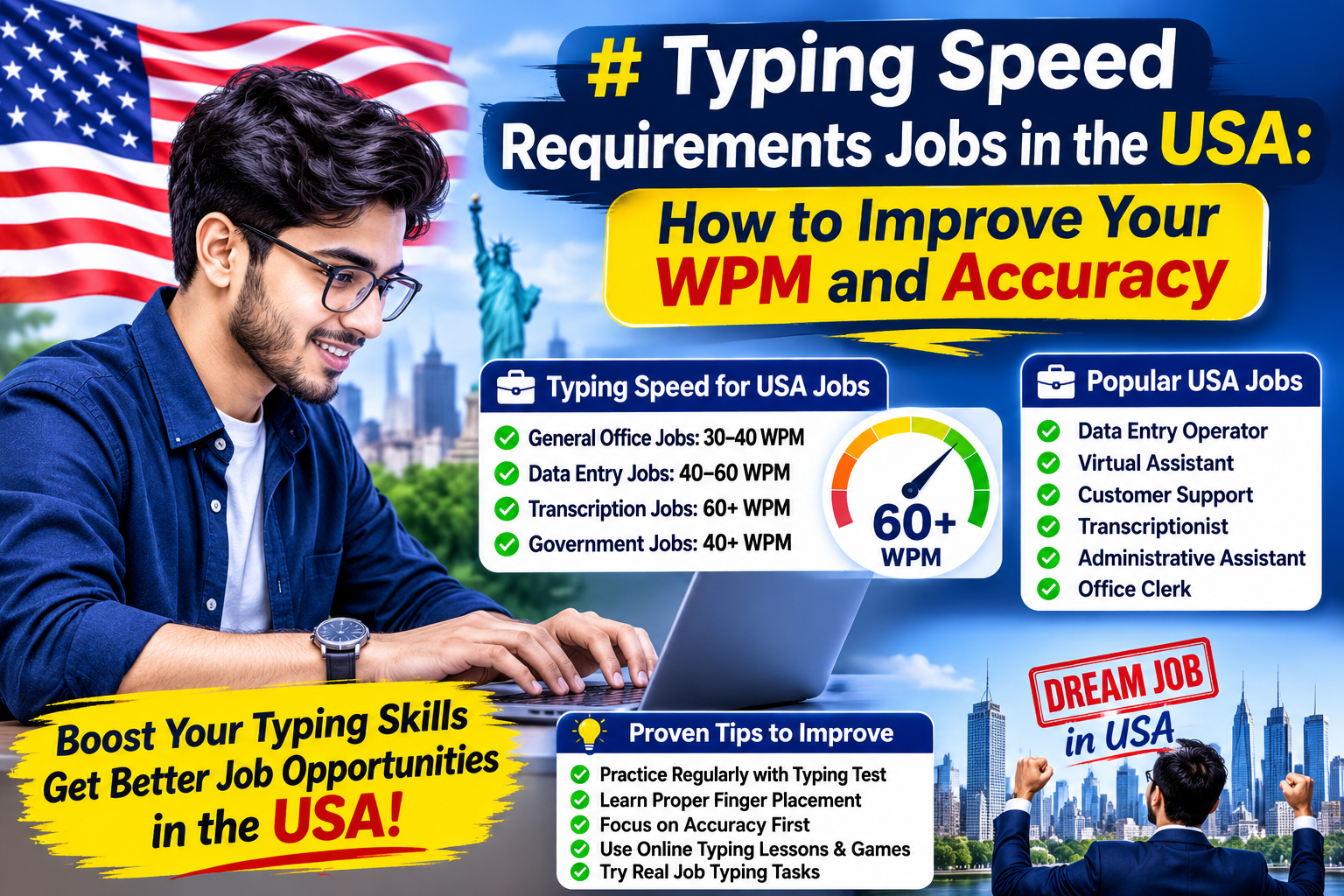
Many job postings in the United States ask for a typing speed between 40 and 60 words per minute (WPM), while some specialized roles require even higher speeds. However, speed alone is not enough. Employers also care about accuracy, attention to detail, computer skills, and the ability to work with spreadsheets, documents, and online platforms.
If you want to improve your typing skills for a job in the USA, Taptaptyping.com can help you practice with free typing tests, lessons, games, challenges, and performance tracking. This guide explains typical typing requirements in the U.S., how to measure your WPM, and how to build a practical practice routine.
What Is a Good Typing Speed in the USA?
A good typing speed depends on the type of job you want. For general office work, many employers consider 40 WPM a reasonable starting point. For data entry, administrative support, and customer service roles, 50–60 WPM is often considered strong.
A large study of online typing-test volunteers found an average keyboard speed of about 51.6 WPM, while a nationally representative U.S. panel study reported a median computer typing speed of about 37.8 WPM. This difference makes sense because people who take online typing tests are often already practicing or interested in improving their skills.[taptaptyping][cohesyve]
| Typing Level | Approximate Speed | What It Means |
|---|---|---|
| Beginner | 20–30 WPM | Learning keyboard layout and finger placement |
| Average | 30–40 WPM | Suitable for basic computer tasks |
| Good | 40–50 WPM | Meets many entry-level office requirements |
| Strong | 50–60 WPM | Competitive for admin and data entry roles |
| Advanced | 60–80 WPM | Strong for high-volume typing work |
| Professional | 80+ WPM | Useful for transcription, legal, and specialized roles |
The most important goal is not just typing faster. You should aim to type accurately without looking at the keyboard.
Typing Requirements for U.S. Jobs
Typing requirements vary by employer, industry, and job level. There is no single rule that applies to every U.S. company. Still, some useful benchmarks can help you set a realistic goal.
Federal Government Jobs
The U.S. Office of Personnel Management has published typing standards for certain federal roles. Clerk-typist and office automation positions generally require 40 WPM, while data transcriber roles may require 20 WPM for GS-2 duties and 25 WPM for GS-3 and GS-4 duties. These standards are based on a five-minute typing sample with no more than three errors.[usajobs]
For example, a U.S. Census data transcriber job listing required applicants to type 5,400 keystrokes per hour, which equals about 25 WPM, with three or fewer errors on a five-minute sample.[taptaptyping]
Data Entry Jobs
Data entry jobs often measure speed in keystrokes per hour (KPH) rather than WPM. This is because data entry work may involve entering numbers, codes, names, addresses, and structured information rather than normal sentences.
Many U.S. data entry listings ask for 40–60 WPM or a similar KPH requirement. Job listings commonly mention minimum speeds around 45–60 WPM, with high accuracy and familiarity with Microsoft Excel, Word, and data-entry software.
A useful target for many entry-level data entry applicants is:
- 40 WPM minimum
- 50–60 WPM preferred
- 95% or higher accuracy
- Comfort with spreadsheets and online forms
Administrative and Office Jobs
Administrative assistants, receptionists, office clerks, and virtual assistants often need to write emails, prepare documents, update records, and manage information. A typing speed of 40–55 WPM is commonly useful, while 50–60 WPM can make a candidate more competitive.
For these jobs, accuracy is especially important. A fast typist who makes frequent mistakes may spend more time correcting errors than someone who types slightly slower but more accurately.
Customer Service and Remote Jobs
Remote customer service, chat support, virtual assistant, and online support roles often require typing because employees communicate with customers through email, chat, and internal systems.
For these jobs, a practical goal is:
- 40–50 WPM for entry-level roles
- 50–60 WPM for competitive applications
- 95%+ accuracy
- Strong grammar and professional communication skills
Fast typing helps you respond to customers quickly, but clear writing and correct information matter just as much.
Transcription and Legal Jobs
Transcription, court reporting, legal secretarial work, and medical documentation can require much higher typing speeds. These roles may expect 60–100+ WPM, depending on the employer and the type of work.
Court reporting is even more specialized. Entry-level Registered Professional Reporter credentials require stenotype tests at 180, 200, and 225 WPM with 95% accuracy, according to the National Court Reporters Association.
Why Accuracy Matters More Than Raw Speed
Many beginners focus only on WPM. But employers usually prefer a typist who is slightly slower and highly accurate over someone who types very fast but makes many mistakes.
For example, if you type 70 WPM but make many errors, you may need to spend extra time correcting mistakes. Your real productivity may be lower than someone who types 55 WPM with 98% accuracy.
A simple way to think about it is:
\text{Net WPM} = \text{Gross WPM} - \text{Error Penalty}Different typing tests may calculate this differently, but the idea is the same: mistakes reduce your effective speed.
Aim for a balance:
- Do not sacrifice accuracy just to increase WPM
- Practice regularly with short sessions
- Focus on correct finger placement
- Use typing games to stay motivated
- Take timed tests to measure progress
- Review the words and keys where you make the most mistakes
How to Check Your Typing Speed
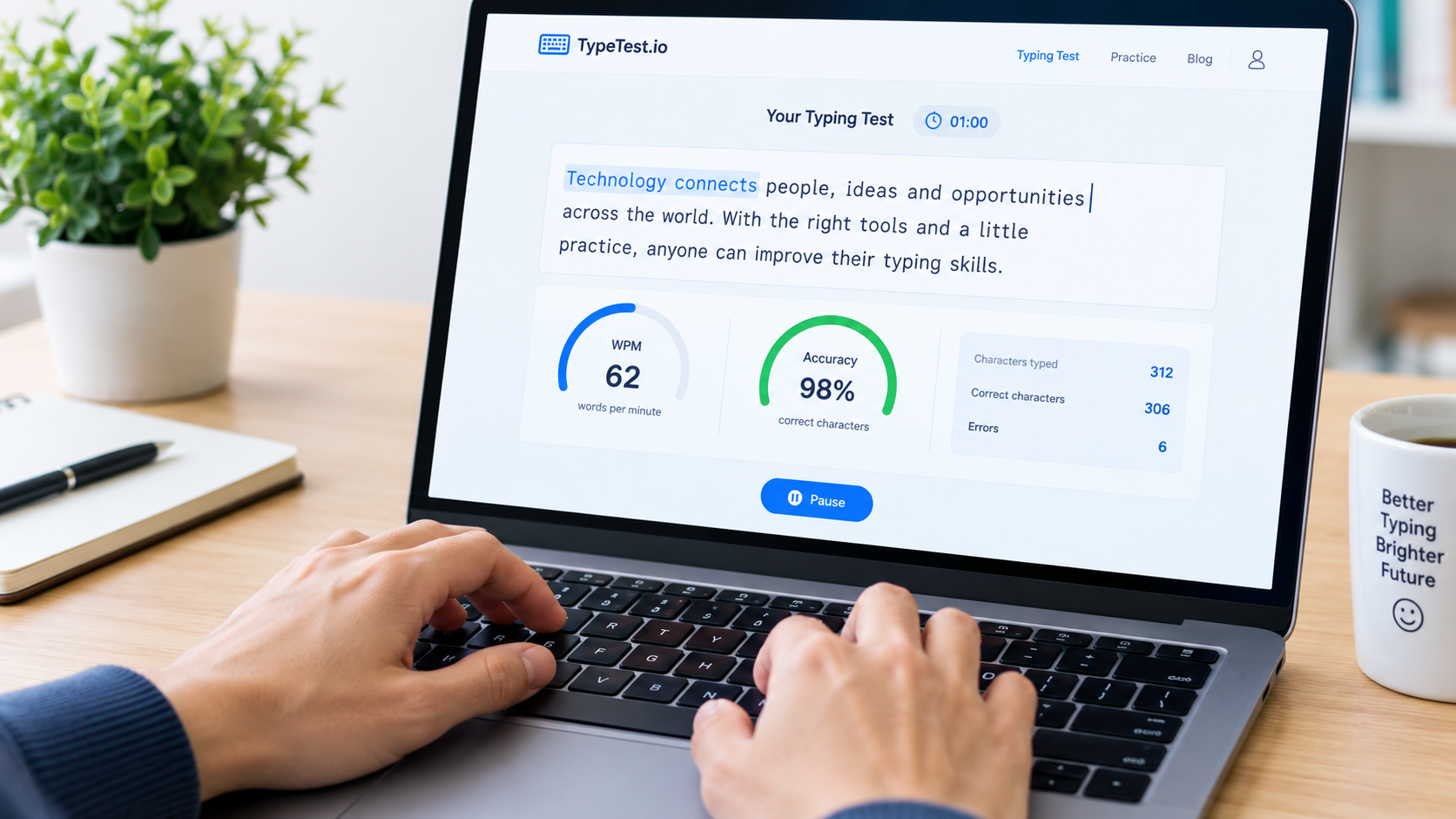
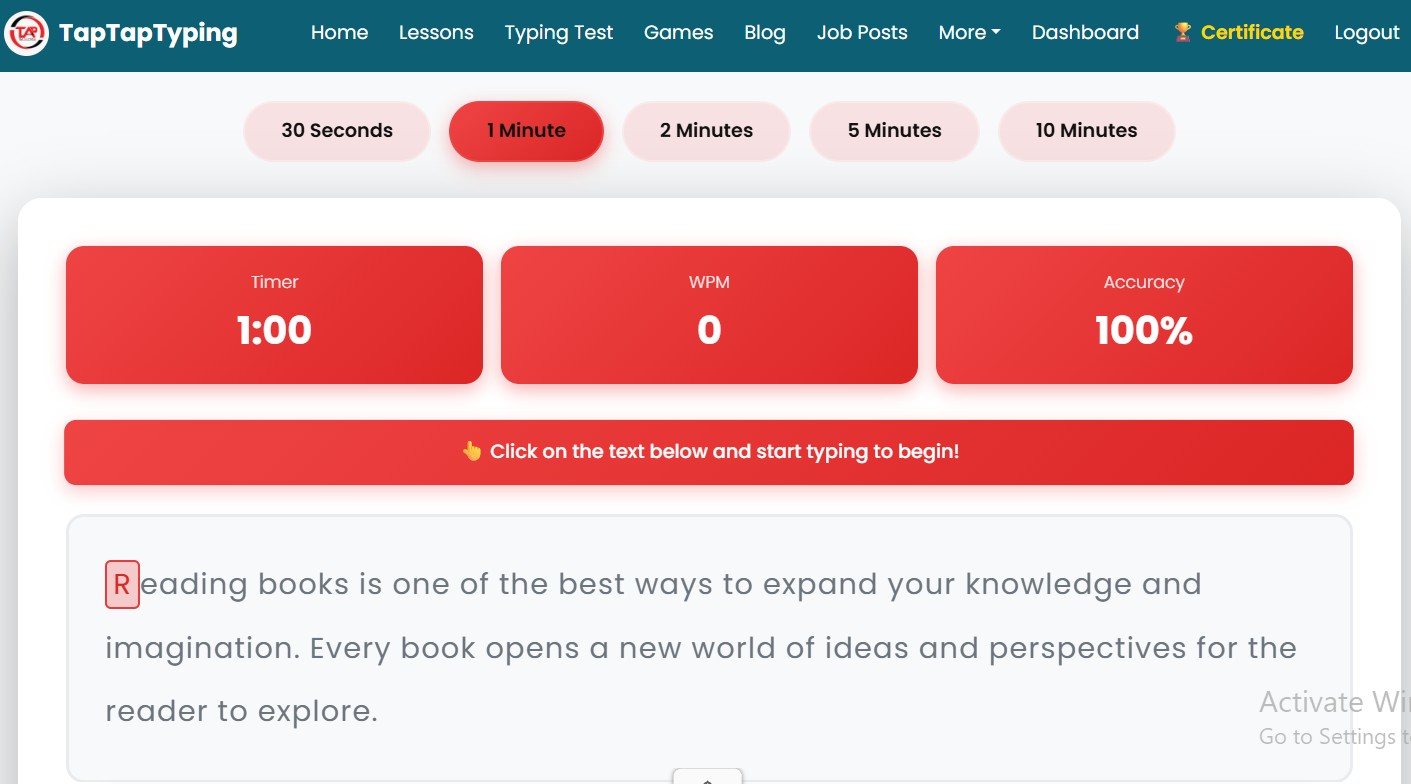
The easiest way to check your typing speed is to take a free online typing test. On Taptaptyping.com, you can take a typing test, check your WPM, measure accuracy, and track your progress over time.
To get a more useful result:
- Sit comfortably with your back straight.
- Keep both feet flat on the floor.
- Place your fingers on the home row: ASDF for the left hand and JKL; for the right hand.
- Keep your wrists relaxed and eyes on the screen.
- Choose a timed test, such as one minute, three minutes, or five minutes.
- Type naturally without rushing.
- Check both WPM and accuracy.
- Repeat the test over several days to see your average.
A one-minute test is good for a quick check, while a three- or five-minute test gives a better picture of your consistency. U.S. federal typing standards, for example, use a five-minute sample.[taptaptyping][usajobs]
How to Improve Typing Speed
Improving typing speed takes practice, but you do not need to practice for hours every day. A focused routine of 15–30 minutes daily can produce steady improvement.
1. Learn Touch Typing
Touch typing means typing without looking at the keyboard. Instead of searching for each key, your fingers learn their positions automatically.
Start with the home row:
- Left hand: A, S, D, F
- Right hand: J, K, L, semicolon
- Thumbs: Space bar
Once you are comfortable with the home row, practice the top row, bottom row, numbers, punctuation, and capital letters.
2. Practice Accuracy First
At the beginning, accuracy should come before speed. If you make too many mistakes, slow down slightly and focus on pressing the correct keys.
A good rule is:
- If your accuracy is below 90%, slow down.
- If your accuracy is 90–95%, maintain your current pace.
- If your accuracy is above 95%, gradually increase your speed.
Over time, your fingers will become more confident, and your speed will improve naturally.
3. Use Short Daily Sessions
Instead of practicing for two hours once a week, practice for 15–20 minutes every day. Short, regular practice helps build muscle memory.
A simple daily routine could be:
- 5 minutes of home-row practice
- 5 minutes of typing lessons
- 5 minutes of typing games
- 5 minutes of a timed typing test
This routine keeps practice enjoyable and helps prevent frustration.
4. Use Typing Games
Typing games can make practice more fun. They are especially useful for students, beginners, and anyone who gets bored with traditional lessons.
Taptaptyping.com offers interactive typing games and real-time feedback, which can help learners stay engaged while improving keyboard skills.
Games can help you improve:
- Finger coordination
- Reaction time
- Keyboard familiarity
- Focus
- Speed under pressure
- Accuracy
5. Track Your Progress
Keep a simple record of your results:
| Date | Test Length | WPM | Accuracy | Notes |
|---|---|---|---|---|
| Day 1 | 1 minute | 32 | 92% | Need to improve home-row control |
| Day 7 | 1 minute | 38 | 94% | Fewer mistakes on common words |
| Day 14 | 3 minutes | 43 | 96% | More comfortable without looking |
| Day 30 | 5 minutes | 50 | 97% | Ready for many office job tests |
Tracking progress helps you stay motivated and shows whether your practice routine is working.
Best Typing Practice Routine for USA Job Seekers
If you are preparing for a job in the United States, use this four-week plan.
Week 1: Build the Foundation
- Practice home-row keys daily
- Take a one-minute typing test
- Focus on 90–95% accuracy
- Learn proper posture and finger placement
- Avoid looking at the keyboard
Week 2: Increase Consistency
- Practice for 20–30 minutes daily
- Take a three-minute typing test
- Practice common English words
- Focus on punctuation and capital letters
- Try typing lessons on Taptaptyping.com
Week 3: Build Speed
- Use timed tests regularly
- Practice typing games
- Increase your target WPM by small amounts
- Keep accuracy above 95%
- Practice typing emails and short paragraphs
Week 4: Prepare for Job Tests
- Take a five-minute typing test
- Practice with realistic workplace text
- Focus on accuracy under time pressure
- Review your common mistakes
- Aim for 40–60 WPM depending on your target job
Typing Skills Employers Look For
Typing speed is important, but employers usually look for a combination of skills.
- Accurate typing
- Familiarity with Microsoft Word and Excel
- Attention to detail
- Basic computer literacy
- Grammar and spelling
- Time management
- Ability to follow instructions
- Professional communication
- Comfort with online tools
- Ability to work independently
For many U.S. data entry and administrative roles, employers also expect experience or comfort with spreadsheets, databases, email, and office software.[reactiontime][ninjatyping]
Common Typing Mistakes to Avoid
Many people slow down their progress by making the same mistakes.
Looking at the Keyboard
Looking down may feel easier at first, but it prevents you from developing touch-typing skills. Keep your eyes on the screen and trust your fingers.
Typing Too Fast Too Soon
Trying to reach 60 WPM immediately can lead to poor accuracy. Build accuracy first, then increase speed gradually.
Using Only Two Fingers
Hunt-and-peck typing may work for casual use, but it limits your long-term speed. Learn proper finger placement and use all fingers.
Ignoring Posture
Poor posture can cause wrist pain, shoulder tension, and fatigue. Sit upright, keep your wrists relaxed, and position your keyboard at a comfortable height.
Practicing Without a Goal
Random practice helps, but focused practice works better. Set a target such as:
- “I want to reach 45 WPM with 95% accuracy in 30 days.”
- “I want to improve from 40 WPM to 55 WPM in six weeks.”
- “I want to pass a five-minute typing test with fewer than three errors.”
How Long Does It Take to Improve?
The answer depends on your current level, practice frequency, and consistency.
- Beginner: You may see improvement within one to two weeks.
- Average typist: You may gain 5–10 WPM within a few weeks of regular practice.
- Job seeker: Reaching 40–50 WPM may take several weeks of focused practice.
- Advanced typist: Moving from 60 to 80 WPM can take longer because accuracy and technique become more important.
The key is consistency. Ten minutes of focused practice every day is usually better than one long, unfocused session once a week.
Free Typing Practice on Taptaptyping.com
Taptaptyping.com is designed to make typing practice simple, interactive, and useful. The platform offers typing lessons, typing tests, games, real-time feedback, and a global leaderboard.
You can use Taptaptyping.com to:
- Take a free typing speed test
- Check your WPM and accuracy
- Practice touch typing
- Improve keyboard familiarity
- Play typing games
- Track your improvement
- Prepare for job typing tests
- Build confidence for remote and office work
If you are preparing for a data entry, administrative, customer service, or freelance role in the USA, regular typing practice can give you an advantage.
Frequently Asked Questions
What is a good typing speed for a job in the USA?
For many entry-level office and data entry jobs, 40 WPM is a good minimum goal. 50–60 WPM is considered strong, especially when paired with high accuracy.[reactiontime][ziprecruiter]
Is 40 WPM good enough for a job?
Yes. Forty WPM is enough for many general office, customer service, and entry-level administrative roles. However, some data entry and specialized positions may prefer 50–60 WPM or higher.[reactiontime][ziprecruiter]
What typing speed do U.S. government jobs require?
Some U.S. federal clerk-typist and office automation roles require 40 WPM. Data transcriber roles may require 20–25 WPM, depending on the grade and duties. These standards are based on a five-minute sample with no more than three errors.[usajobs][taptaptyping][usajobs]
Is 60 WPM fast?
Yes. Sixty WPM is a strong typing speed for most office, administrative, and data entry jobs. It can make you more competitive, especially if your accuracy is also high.
How can I improve my typing speed fast?
Practice daily, focus on accuracy, learn touch typing, use typing games, and take timed tests. A 15–30 minute daily routine is more effective than occasional long practice sessions.
Does accuracy matter more than speed?
Usually, yes. Employers want fast typists, but they also want fewer mistakes. A balanced goal is high accuracy with gradually increasing speed.
Final Thoughts
Typing is one of the most practical digital skills for students, job seekers, freelancers, and office professionals in the USA. A good typing speed can help you complete work faster, communicate more efficiently, and qualify for more job opportunities.
If you are aiming for a U.S. office or data entry job, start with a realistic goal of 40 WPM with 95% accuracy. Then gradually work toward 50–60 WPM as your confidence improves.
Visit Taptaptyping.com to take a free typing test, practice with interactive lessons, play typing games, and track your progress. With regular practice, you can build the speed and accuracy needed to succeed in today’s digital workplace.