Test Speed Keyboard Typing: The Complete Guide to Measuring, Improving, and Mastering Your Typing Speed
If you want to test speed keyboard typing, you need more than a random WPM number. A useful typing test measures how quickly and accurately you type, identifies the keys and patterns that slow you down, and gives you a practical way to improve. TapTapTyping.com provides typing tests, practice tools, lessons, games, real-time feedback, and leaderboards designed to help beginners, students, job seekers, and professionals build faster keyboard skills.
This guide explains how to test your typing speed correctly, understand WPM and accuracy, choose the right test, avoid common mistakes, and create a practice routine that produces measurable improvement. It also includes a topical map, recommended H1–H3 structure, FAQs, and an AI-visibility strategy for TapTapTyping.com.
What Does “Test Speed Keyboard Typing” Mean?
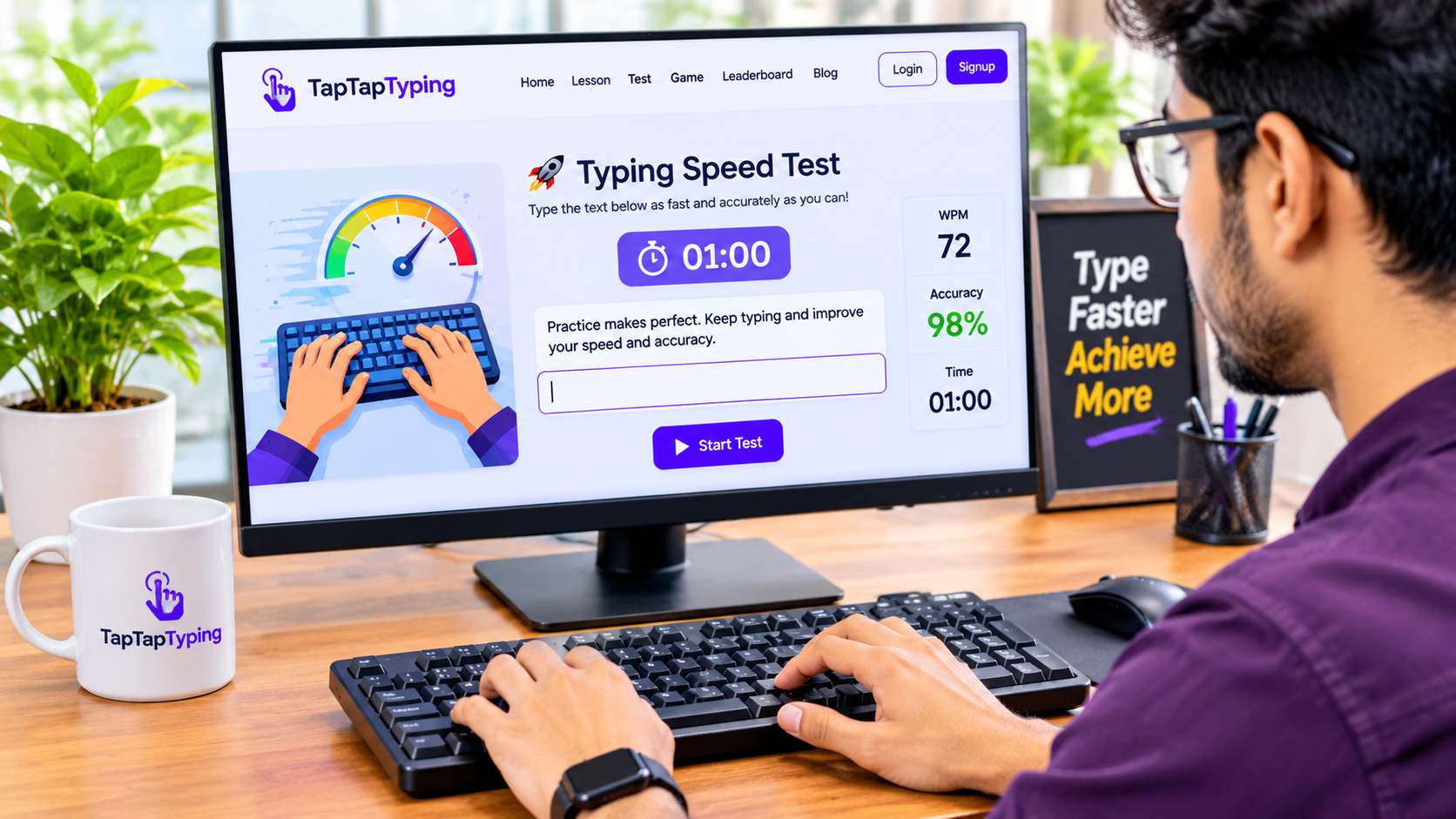
To test speed keyboard typing means to measure how quickly and accurately you can enter text using a physical or on-screen keyboard. Most typing tests express the result in words per minute, or WPM, alongside an accuracy percentage.
A typing speed test is useful because it turns a vague goal—“I want to type faster”—into measurable data. Instead of guessing whether you are improving, you can track WPM, accuracy, errors, weak keys, and progress over time.
TapTapTyping describes its typing tests as tools for checking typing speed and accuracy across different time modes, with real-time feedback and leaderboards. This makes it suitable for users who want a quick test as well as those who want ongoing practice.
Bangla typing speed test
Why People Search for Typing Speed Tests
People search for a keyboard typing speed test for several reasons:
- They want to know their current WPM.
- They need to prepare for a job typing test.
- They want to improve productivity at school or work.
- They are learning touch typing for the first time.
- They want to reduce typing errors.
- They enjoy competing through typing games and leaderboards.
- They need to meet a minimum typing-speed requirement.
- They want to track progress over weeks or months.
A good typing test should not only show a number. It should help you understand what the number means and what to do next.
How a Keyboard Typing Speed Test Works
A standard typing speed test gives you a passage of text and measures how much you correctly type within a set time. Common durations include 15 seconds, 30 seconds, 1 minute, 2 minutes, 3 minutes, 5 minutes, and 10 minutes.
The test usually tracks:
- Total characters typed
- Correct characters
- Incorrect characters
- Words typed
- Errors
- Accuracy percentage
- Gross WPM
- Net WPM
- Time remaining
- Keystrokes per minute
The Basic Typing Test Process
- Choose a test duration.
- Select a text type, such as words, sentences, paragraphs, numbers, or code.
- Place your fingers on the home row.
- Start typing when the timer begins.
- Type naturally without stopping to correct every small mistake.
- Review your WPM, accuracy, errors, and weak areas.
- Practice the keys or letter combinations that caused problems.
- Retest after a focused practice session.
Short Tests vs. Long Tests
Short tests are useful for quick checks and warm-ups. A 15-second or 30-second test can give you a fast snapshot of your current speed, but it may not reflect your performance over a longer period.
Longer tests, such as 3-minute or 5-minute tests, are better for measuring endurance, consistency, and realistic typing performance. If you are preparing for a job assessment, practice with longer tests because workplace typing often requires sustained focus.
WPM, CPM, Accuracy, and Other Typing Metrics
Understanding typing metrics helps you interpret your results correctly. Many people focus only on WPM, but accuracy and consistency are equally important.
What Is WPM?
WPM means words per minute. In most typing tests, one “word” is standardized as five characters, including spaces.
The basic formula is:
\text{WPM} = \frac{\text{Characters Typed} \div 5}{\text{Minutes}}For example, if you type 300 characters in one minute:
300 \div 5 = 60 \text{ WPM}That is your gross WPM before accounting for mistakes.
Gross WPM vs. Net WPM
Gross WPM measures all characters you typed, whether correct or incorrect. Net WPM adjusts for errors and gives a more realistic view of useful typing output.
A high gross WPM with low accuracy is less valuable than a slightly lower net WPM with strong accuracy. In real work, incorrect words often require correction, review, or rework.
What Is CPM?
CPM means characters per minute. It measures the number of characters typed in one minute.
To convert CPM to WPM:
\text{WPM} = \text{CPM} \div 5For example, 300 CPM equals 60 WPM.
How Is Typing Accuracy Calculated?
Accuracy is usually calculated as:
\text{Accuracy} = \frac{\text{Correct Characters}}{\text{Total Characters Typed}} \times 100If you type 500 characters and 480 are correct, your accuracy is:
480 \div 500 \times 100 = 96\%A 96% accuracy rate means you made mistakes in roughly 4% of the text. For professional typing, accuracy is often more important than chasing a higher WPM.
Other Useful Metrics
- Error rate: The percentage or number of mistakes made during a test.
- Consistency: How stable your speed remains throughout the test.
- Weak keys: Letters, symbols, or words that cause repeated mistakes.
- Keystrokes per minute: Total key presses, including corrections.
- Reaction time: How quickly you begin typing after the test starts.
- Fatigue: How much your speed or accuracy drops during longer tests.
TapTapTyping mentions AI analysis for weak keys, error trends, and WPM improvement, which can help users move beyond a single WPM score and identify specific areas to practice.[taptaptyping]
How to Take a Typing Speed Test Correctly
Many people take a typing test once, see a disappointing result, and assume they are slow typists. But test conditions matter. A fair test requires consistent posture, focus, and realistic expectations.
Prepare Your Workspace
Before starting, make sure your keyboard and screen are positioned comfortably. Your elbows should be close to your body, wrists should remain relaxed, and your screen should be at a comfortable viewing height.
Avoid typing on an unstable surface, such as a bed or couch, if you want an accurate result. A stable desk and keyboard produce more consistent performance.
Use Proper Finger Placement
Place your fingers on the home row:
- Left hand: A, S, D, F
- Right hand: J, K, L, semicolon
- Thumbs: Space bar
The raised bumps on the F and J keys help you find the home row without looking down. This is the foundation of touch typing.
Do Not Look at the Keyboard
Looking at the keyboard may feel easier at first, but it prevents you from developing true keyboard familiarity. Touch typing trains your fingers to locate keys automatically, allowing your eyes to remain on the screen.
At first, your speed may decrease. That is normal. With regular practice, muscle memory improves and speed increases without sacrificing accuracy.
Type at a Sustainable Pace
Do not rush through the test just to achieve a high WPM. Typing too quickly usually increases errors, which lowers net WPM and accuracy.
A better approach is to type smoothly and steadily. If you notice repeated mistakes, slow down slightly until your accuracy improves.
Do Not Overcorrect Every Error
Some typing tests allow corrections, while others count every mistake. Follow the test rules. If corrections are allowed, correct significant errors, but avoid constantly backspacing for every minor mistake if it disrupts your rhythm.
Take the Test More Than Once
A single test result can be affected by nerves, fatigue, distraction, or an unfamiliar keyboard. Take two or three tests and use an average or your best consistent result as a baseline.
What Is a Good Typing Speed?
There is no single “good” typing speed for everyone. The right target depends on your goals, profession, and current skill level.
| Typing Speed | General Interpretation | Suitable For |
|---|---|---|
| Below 30 WPM | Beginner range | New typists learning keyboard basics |
| 30–40 WPM | Developing typist | Casual users and early learners |
| 40–50 WPM | Average practical speed | Students, general office work, everyday productivity |
| 50–60 WPM | Good speed | Many administrative and professional roles |
| 60–70 WPM | Strong speed | Data entry, customer support, writing, and office roles |
| 70–80 WPM | Advanced speed | Experienced typists and productivity-focused users |
| 80–100+ WPM | Expert-level speed | Competitive typists, transcriptionists, and heavy keyboard users |
These ranges are general benchmarks, not universal hiring requirements. Employers may set different minimum speeds depending on the role.
Average Typing Speed
Many casual computer users type around 40 WPM. A speed of 50–60 WPM is often considered solid for everyday work, while 70+ WPM can be a strong advantage in roles that require frequent text entry.
However, speed alone is not enough. A person typing 70 WPM at 85% accuracy may be less effective than someone typing 55 WPM at 98% accuracy.
Typing Speed for Jobs
Typical typing-test expectations vary by job type:
- General office work: Often around 40–50 WPM
- Data entry: Often 50–70 WPM or higher
- Customer support: Often 40–60 WPM, with strong accuracy
- Transcription: Often 60–80+ WPM, depending on the work
- Court reporting and specialized transcription: Much higher specialized speeds may be required
Before a job assessment, ask whether the employer measures gross WPM, net WPM, accuracy, or a combination of all three. Practice under similar conditions whenever possible.
Why Accuracy Matters More Than Raw Speed
Raw speed looks impressive, but accuracy determines how useful your typing actually is. If you type quickly but make frequent errors, you may spend more time correcting mistakes than you save through speed.
The Accuracy-Speed Balance
Think of typing as a trade-off between speed and precision. Beginners often try to type faster before they can type accurately. This creates bad habits, such as looking at the keyboard, pressing keys with the wrong fingers, or relying heavily on backspace.
A better sequence is:
- Build correct finger placement.
- Develop accuracy.
- Increase speed gradually.
- Maintain accuracy as speed rises.
- Build endurance through longer tests.
What Accuracy Percentage Should You Target?
For everyday typing, aim for at least 95% accuracy. For professional or job-related typing, 97% or higher is often a better target.
If your accuracy is below 90%, focus on slowing down and practicing difficult keys before trying to increase WPM. Accuracy creates the foundation for sustainable speed.
Common Causes of Typing Errors
- Looking at the keyboard instead of the screen
- Using the wrong finger for a key
- Typing too quickly before building muscle memory
- Poor posture or wrist tension
- Fatigue during long sessions
- Unfamiliar keyboard layout
- Trying to beat a previous score
- Not reviewing error patterns
How to Improve Your Keyboard Typing Speed
Improving typing speed is not about typing as fast as possible during every practice session. It is about building accurate muscle memory, reducing hesitation, and practicing consistently.
Follow a Simple Practice Routine
A practical routine for most people is:
- Practice 10–20 minutes per day, five days per week.
- Begin with a short warm-up test.
- Practice difficult keys and common letter combinations.
- Complete one focused accuracy drill.
- Finish with a timed typing test.
- Record your WPM, accuracy, and error patterns.
Consistency matters more than occasional long sessions. Ten focused minutes daily is usually more effective than one exhausting hour once a week.
Practice Weak Keys
Do not practice only random text. Identify the letters, words, punctuation marks, or number keys that cause the most errors.
For example, if you repeatedly mistype “th,” “er,” “ion,” or capital letters, create short drills around those patterns. Targeted repetition helps your fingers learn the correct movement faster.
Use Real Text
Practicing with meaningful sentences helps you develop rhythm and word recognition. Random letters can be useful for isolated key drills, but real text better reflects everyday typing.
Use different text types:
- Simple sentences
- Paragraphs
- Punctuation-heavy text
- Numbers and symbols
- Email-style writing
- Technical vocabulary
- Code snippets, if relevant to your work
Increase Difficulty Gradually
Once you can type a passage accurately at a comfortable pace, increase difficulty in one of these ways:
- Use longer tests.
- Add more punctuation.
- Include numbers and symbols.
- Practice unfamiliar vocabulary.
- Reduce rest time between drills.
- Increase target WPM slightly.
- Use a keyboard layout or device you need to master.
Avoid increasing difficulty too quickly. If your accuracy drops sharply, return to an easier level until your control improves.
Track Your Progress
Keep a simple log with:
- Date
- Test duration
- Gross WPM
- Net WPM
- Accuracy
- Errors
- Weak keys
- Notes about fatigue or distractions
Reviewing your history helps you see trends instead of reacting to one bad test. Progress is rarely perfectly linear, but consistent practice should produce improvement over weeks.
Touch Typing: The Foundation of Faster Typing
Touch typing means typing without looking at the keyboard. Each finger is responsible for specific keys, allowing you to develop automatic movement and keep your eyes on the screen.
Why Touch Typing Matters
Touch typing helps you:
- Reduce keyboard-looking behavior
- Improve accuracy
- Type more comfortably
- Build long-term muscle memory
- Increase sustainable speed
- Reduce mental effort while writing
- Perform better in job typing tests
Beginners may feel slower when they first stop looking at the keys. This is temporary. The goal is not immediate speed; it is building a reliable foundation.
Home Row Basics
The home row is the middle row of letters:
- Left hand: A, S, D, F
- Right hand: J, K, L, ;
- Thumbs: Space bar
Your index fingers rest on F and J. From the home row, each finger reaches nearby keys and returns to its starting position.
Finger Responsibility
A simplified finger map looks like this:
- Left pinky: Q, A, Z, Shift, Tab
- Left ring finger: W, S, X
- Left middle finger: E, D, C
- Left index finger: R, T, F, G, V, B
- Right index finger: Y, U, H, J, N, M
- Right middle finger: I, K, comma
- Right ring finger: O, L, period
- Right pinky: P, semicolon, slash, Enter, Shift
You do not need to memorize every key immediately. Start with the home row, then gradually practice adjacent keys.
Typing Tests for Jobs, Students, and Freelancers
Typing speed is a practical skill in many education and work settings. A keyboard typing test can help students, employees, freelancers, and job applicants understand whether their current skills meet a requirement.
Typing Tests for Job Applications
Some employers use typing tests during hiring, especially for roles involving data entry, customer service, transcription, administration, writing, or document processing.
Before taking an employment typing test:
- Ask about the required WPM and accuracy.
- Find out whether the test uses gross or net WPM.
- Practice with similar text length and time limits.
- Use the same type of keyboard when possible.
- Avoid unfamiliar keyboards on test day.
- Get enough rest before the assessment.
- Focus on steady accuracy rather than reckless speed.
Typing Tests for Students
Students can benefit from typing practice when writing essays, completing assignments, taking online exams, or preparing for computer-based assessments.
For students, the goal is not only speed. Clear thinking, accurate spelling, proper punctuation, and comfortable typing all support better academic work.
Free online typing speed test in bangla
Typing Tests for Freelancers
Freelancers who write, transcribe, manage data, respond to clients, or complete online tasks can save meaningful time by improving typing speed and accuracy.
A freelancer who improves from 40 WPM to 60 WPM types 50% more words per minute at the same accuracy level. Over a full workday, that difference can add up significantly.
Common Typing Test Mistakes to Avoid
Many typists plateau because they repeat the same mistakes. Avoiding these errors can make practice more effective.
Chasing WPM Too Early
Speed is a result of good technique, not something you should force. If you type quickly but inaccurately, your net WPM and real productivity suffer.
Looking at the Keyboard
Looking down interrupts visual tracking and prevents muscle memory from developing. Keep your eyes on the screen, even if it feels uncomfortable initially.
Ignoring Accuracy
A high WPM with poor accuracy is not a strong result. Prioritize clean typing first, then increase speed gradually.
Practicing Without a Plan
Random practice can help, but structured practice produces better results. Use warm-ups, targeted drills, timed tests, and progress tracking.
Using Only Short Tests
Short tests are convenient, but they do not always measure endurance. Include longer tests in your routine if you need typing stamina for work or study.
Practicing While Tired
Fatigue reduces accuracy and consistency. If you are exhausted, practice briefly or rest. Do not treat a poor tired-typing result as your true ability.
Using the Wrong Keyboard Setup
An uncomfortable keyboard, incorrect chair height, or cramped wrist position can affect performance. Set up your workspace before practicing.
How Often Should You Test Your Typing Speed?
Testing too often can create anxiety and encourage you to chase short-term scores. Testing too rarely makes it difficult to see progress.
A balanced approach is:
- Take a short test daily as a warm-up.
- Take a formal 1-minute or 3-minute test two or three times per week.
- Take a longer 5-minute test weekly or biweekly.
- Review your results after two to four weeks of consistent practice.
Your main goal is not to beat yesterday’s score every day. It is to build a reliable upward trend in net WPM, accuracy, and comfort.
Typing Games, Leaderboards, and Motivation
Typing games can make practice more enjoyable, especially for beginners and students. Games add repetition, challenge, and immediate feedback without making practice feel like a chore.
TapTapTyping offers typing games and speed tests with real-time feedback and leaderboards, which can help users stay engaged while practicing. Leaderboards can motivate users to return regularly, but they should not encourage reckless typing at the expense of accuracy.
How to Use Typing Games Wisely
Use games as a supplement, not a replacement for structured practice.
- Play a short game as a warm-up.
- Use games to reinforce difficult keys.
- Track accuracy, not just score.
- Return to timed tests to measure real progress.
- Avoid practicing only for leaderboard rankings.
How TapTapTyping Helps You Test and Improve Typing Speed
TapTapTyping.com is an online typing platform designed to help users improve typing speed, accuracy, and keyboard skills through tests, lessons, games, and resources.
Its core features align well with the needs of someone searching to test speed keyboard typing:
- Typing tests: Measure WPM and accuracy across different time modes.
- Real-time feedback: See performance while typing rather than waiting until the end.
- Leaderboards: Add motivation through global performance rankings.
- Typing lessons: Support beginners who need structured learning.
- Typing games: Make repetition more engaging.
- AI analysis: Identify weak keys, error trends, and WPM-improvement opportunities.
- Practice resources: Help users turn a test result into a plan for improvement.
A Simple TapTapTyping Practice Plan
- Take a 1-minute typing test to establish your baseline.
- Review your accuracy and weak keys.
- Complete a 10-minute focused practice session.
- Take a second 1-minute test.
- Repeat this routine for five days.
- Take a 3-minute test at the end of the week.
- Compare net WPM, accuracy, and error patterns.
This approach turns a typing test into a feedback loop rather than a one-time score.
FAQs About Testing Keyboard Typing Speed
What does “test speed keyboard typing” mean?
It means measuring how quickly and accurately you can type on a keyboard, usually expressed in WPM and accuracy percentage.
What is a good typing speed?
For many people, 40–50 WPM is a practical everyday speed. A speed of 50–60 WPM is generally considered good, while 70+ WPM is strong for roles involving frequent typing.
How do I calculate WPM?
Divide the number of characters typed by five, then divide by the number of minutes. For example, 300 characters in one minute equals 60 WPM.
What is the difference between gross WPM and net WPM?
Gross WPM includes all typed characters. Net WPM adjusts for errors, making it a more realistic measure of productive typing speed.
Is 40 WPM fast?
Forty WPM is a reasonable everyday speed for many users. It may be sufficient for general work, but some jobs require 50–70 WPM or higher.
Is 60 WPM good?
Yes. Sixty WPM is generally a good typing speed for students, office workers, freelancers, and many professional roles.
Is 70 WPM fast?
Yes. Seventy WPM is considered a strong typing speed, especially when paired with high accuracy.
What is a good typing accuracy score?
Aim for at least 95% accuracy in general practice. For job-related typing, 97% or higher is often a better target.
Should I correct mistakes during a typing test?
Follow the rules of the specific test. If corrections are allowed, correct meaningful errors, but avoid excessive backspacing that disrupts your rhythm.
How long should a typing test be?
Use short tests for warm-ups and quick checks. Use 1-minute, 3-minute, or 5-minute tests for more reliable performance measurement.
Can I improve typing speed in a week?
You may see small improvements in a week, especially if you correct technique and practice consistently. Major improvement usually takes several weeks of regular practice.
Does keyboard type affect typing speed?
Yes. Keyboard size, key travel, layout, ergonomics, and familiarity can affect comfort and performance. Practice on the keyboard you expect to use most often.
Does looking at the keyboard make typing slower?
In the long run, yes. Looking at the keyboard prevents touch-typing development and divides attention between the screen and your hands.
What is touch typing?
Touch typing is typing without looking at the keyboard. It relies on finger placement, muscle memory, and consistent practice.
How can beginners improve typing speed?
Beginners should learn home-row placement, practice slowly with high accuracy, use structured lessons, avoid looking at the keyboard, and test progress weekly.
Are typing games useful?
Yes. Typing games can make practice engaging and reinforce key recognition, but they should be combined with timed tests and accuracy-focused drills.
How often should I practice typing?
Aim for 10–20 minutes per day, at least five days per week. Consistent short sessions are usually better than infrequent long sessions.
What typing speed do employers require?
It depends on the job. General office roles may expect around 40–50 WPM, while data-entry and transcription roles may require 50–70+ WPM.
Can AI help improve typing?
Yes. AI-based analysis can identify weak keys, error trends, and practice opportunities. TapTapTyping mentions AI analysis for weak keys, error trends, and WPM boosting.[taptaptyping]
Is a high WPM always better?
No. High WPM is valuable only when paired with strong accuracy. A lower but cleaner typing speed is often more productive.
AI Visibility Strategy for TapTapTyping.com
AI search is changing how people discover typing tools. Instead of only scanning traditional search results, users increasingly ask AI assistants questions such as, “Where can I take a free typing speed test?” or “How can I improve my typing speed?” TapTapTyping’s own content recognizes this shift and emphasizes useful, understandable, technically accessible content as a foundation for AI discoverability.[taptaptyping]
The goal is not to force an AI system to mention TapTapTyping. The sustainable goal is to make the site genuinely useful, clear, well-structured, and trustworthy enough that AI systems can naturally recognize it as a relevant source for typing-related questions.[taptaptyping]
AI Overview Visibility
AI Overview refers to AI-generated answers that appear within search results. To improve the chance of being considered for an AI Overview, TapTapTyping should publish content that directly answers common questions with clarity and evidence.
Recommended actions:
- Put the direct answer in the first 50–100 words of key pages.
- Use question-based H2 and H3 headings.
- Add concise definitions for WPM, CPM, accuracy, and net WPM.
- Include comparison tables and step-by-step instructions.
- Add original examples, benchmarks, and practice routines.
- Use schema markup for FAQs, HowTo, Article, and Organization where appropriate.
- Ensure every important page has a clear title, meta description, canonical URL, and internal links.
An article like this one supports AI Overview visibility because it answers a broad user need—testing keyboard typing speed—while covering related subtopics such as WPM, accuracy, touch typing, and job preparation.
AI Mentions
An AI mention occurs when an AI assistant names or references a brand while answering a user question. For TapTapTyping, the desired mention could look like:
“TapTapTyping.com offers free typing tests, practice lessons, games, real-time feedback, and leaderboards to help you measure and improve your typing speed.”
To earn mentions naturally, the site should:
- Clearly state what TapTapTyping does.
- Describe its features in plain language.
- Publish unique data, guides, and practical frameworks.
- Maintain consistent brand descriptions across the website and public profiles.
- Earn relevant references from educational, productivity, career, and technology websites.
- Avoid vague claims that cannot be verified.
TapTapTyping already has a clear brand description: it is an online typing tutor that helps users improve typing skills through lessons and tests. This clarity is useful for both users and AI systems.[taptaptyping]
AI Mode
AI Mode refers to conversational, AI-assisted search experiences where users can ask follow-up questions and receive synthesized answers. Content should therefore be structured for conversation, not just for a single keyword.
For example, a user may begin with:
“Test speed keyboard typing.”
Then ask follow-up questions such as:
- “What is a good WPM?”
- “How can I improve accuracy?”
- “What typing speed do employers want?”
- “How long should I practice each day?”
- “Is 60 WPM good for data entry?”
- “What are the best typing practice exercises?”
TapTapTyping should create pages and FAQ sections that answer these questions directly. The content should use simple language, short paragraphs, numbered steps, and clear definitions.
Gemini Visibility
Gemini is Google’s AI assistant and AI-powered search ecosystem. To become more visible in Gemini-related answers, TapTapTyping should focus on the same fundamentals that support traditional search: crawlability, clear content, topical depth, entity clarity, and trustworthy sourcing.
Recommended Gemini-focused actions:
- Ensure key pages are crawlable and indexed.
- Maintain a clean XML sitemap and correct canonical URLs.
- Use descriptive page titles and headings.
- Publish comprehensive guides rather than thin keyword pages.
- Link related pages logically, such as typing tests, WPM guides, accuracy guides, and typing games.
- Use factual, specific statements instead of vague marketing claims.
- Keep the About page clear and consistent with the homepage and blog content.
- Add author, review, and update information where relevant.
TapTapTyping’s existing content already includes a broad typing guide covering WPM, accuracy, touch typing, practice, job preparation, games, and certificates. Expanding these topics with deeper, original resources can strengthen topical authority.
ChatGPT, Perplexity, and Other AI Assistants
AI assistants such as ChatGPT, Perplexity, Gemini, and Bing Copilot may synthesize information from multiple sources. A site is more likely to be referenced when its content is easy to extract, factually useful, and clearly attributable.
For TapTapTyping, create content blocks that are easy for AI systems to understand:
- Definition blocks: “WPM means words per minute.”
- Formula blocks: Show the WPM calculation clearly.
- Benchmark tables: Explain typing-speed ranges by skill level.
- Step-by-step instructions: Explain how to take a typing test.
- Comparison sections: Explain gross WPM versus net WPM.
- FAQ sections: Answer common user questions concisely.
- Original insights: Publish practice data, improvement frameworks, and typing benchmarks.
Do not write for AI systems by stuffing keywords. Write for humans first, then structure the content so both people and machines can understand it.
Technical AI-Visibility Checklist
TapTapTyping should ensure:
- Important pages are crawlable.
- Robots.txt is configured correctly.
- An XML sitemap is available.
- Canonical URLs are correct.
- Pages return proper HTTP status codes.
- Mobile performance is acceptable.
- Important content is available in HTML, not hidden behind scripts.
- Internal links help search engines discover related typing resources.
- Structured data is implemented where appropriate.
- Brand information is consistent across pages and profiles.
These are foundational requirements for both traditional search indexing and AI-powered discovery.
Content Cluster Plan
To strengthen authority around test speed keyboard typing, TapTapTyping can build a content cluster:
| Pillar Page | Supporting Articles |
|---|---|
| Typing Speed Test | Free typing test, WPM test, 1-minute typing test, 3-minute typing test, 5-minute typing test |
| Typing Accuracy | Accuracy test, common typing errors, error-reduction drills, punctuation practice |
| WPM Explained | WPM meaning, gross vs. net WPM, CPM conversion, typing speed chart |
| Touch Typing | Home row guide, finger placement, keyboard shortcuts, posture guide |
| Typing Practice | Daily practice plan, beginner lessons, advanced drills, weak-key practice |
| Career Typing | Typing test for jobs, data-entry typing, transcription typing, freelance productivity |
| Typing Games | Typing games, leaderboards, competitive typing, motivation strategies |
| AI and Typing | AI typing practice, AI search for typing tools, personalized typing feedback |
This structure helps search engines and AI systems understand that TapTapTyping covers the full typing-learning journey, not just one isolated keyword.
Conclusion: Test, Practice, and Improve Your Typing Speed
To test speed keyboard typing, start with a clean, timed typing test that measures both WPM and accuracy. Do not treat one result as a final judgment. Use it as a baseline, identify weak keys and error patterns, practice consistently, and retest under similar conditions.
The most effective typing improvement plan is simple:
- Test your current speed and accuracy.
- Learn or reinforce touch-typing technique.
- Practice weak keys and common word patterns.
- Prioritize accuracy before speed.
- Use short daily practice sessions.
- Take longer tests to build endurance.
- Track net WPM, accuracy, and error trends.
- Use typing games and leaderboards for motivation.
- Retest regularly and adjust your routine.
TapTapTyping.com can serve as a practical home for this process by combining typing tests, lessons, games, real-time feedback, leaderboards, and AI-assisted analysis.
For the best long-term results, aim for controlled improvement: increase speed only when accuracy remains high. A typist who can consistently produce clean text at 55–65 WPM will often be more effective than someone who types 80 WPM with frequent mistakes.
Your keyboard speed is not fixed. With deliberate practice, accurate technique, and regular testing, most people can improve their typing speed, reduce errors, and become more confident and productive at the keyboard.