Alphabet Game: Learn Letters, Build Keyboard Skills, and Make ABC Practice Fun
An alphabet game is one of the simplest ways to help young learners become familiar with letters while building early keyboard awareness. On TapTapTyping, an alphabet game turns letter recognition into an interactive activity: children see a letter, respond by tapping, clicking, or typing it, and receive immediate feedback.
This guide explains what an alphabet game is, how it supports early literacy and typing readiness, who can benefit from it, and how parents and teachers can use it effectively. It also includes activity ideas, FAQs, and an AI-search optimization strategy for making the page more visible in Google AI Overviews, AI Mode, Gemini, and other AI-powered search experiences. A strong topical structure—pillar page plus focused supporting pages—helps search engines and AI systems understand the relationship between alphabet games, letter recognition, and typing practice.
Play the Free Alphabet Game
The fastest way to begin is to play the TapTapTyping alphabet game directly in your browser. There is no need to download an app or install software; simply open the game, choose a letter set or activity, and start practicing.
An alphabet game usually asks the player to identify a letter, match uppercase and lowercase forms, find a letter in alphabetical order, or press the matching key on a keyboard. The goal is not speed at first. The goal is comfort: recognizing letters, associating them with their names and sounds, and becoming familiar with where they appear on a keyboard.
For young children, a parent, caregiver, or teacher can sit nearby and say the letter name aloud: “This is B. B says /b/.” For older beginners, the same activity can become a gentle introduction to keyboard location and typing accuracy.
Ready to begin? Choose the alphabet game, select a comfortable difficulty level, and complete a short round. Five to ten minutes of focused practice is often more effective than a long session, especially for preschool and kindergarten learners.
What You Can Practice
Depending on the version of the game available on TapTapTyping, an alphabet game may include:
- Letter recognition activities
- Uppercase and lowercase matching
- Alphabetical order practice
- Vowel recognition
- Keyboard key identification
- Letter typing practice
- Simple ABC sequencing
- Beginner-friendly typing drills
The most useful alphabet games keep the screen simple, use large readable letters, provide encouraging feedback, and allow children to retry without pressure. Clear visuals and simple controls are especially important for young learners who are still developing attention, coordination, and confidence.
What Is an Alphabet Game?
An alphabet game is an educational activity designed to help learners recognize, name, sequence, or use letters. It may be digital, printable, physical, or classroom-based. A digital alphabet game commonly displays a letter and asks the player to choose it, match it, tap it, or type it.
For example, a game may show the letter M and ask, “Find M.” A child may tap the correct letter on the screen, click it with a mouse, or press the M key on a keyboard. When the correct response is made, the game provides positive feedback and presents the next challenge.
That simple loop—see the letter, respond, receive feedback, repeat—makes alphabet games effective for practice. They give children many small opportunities to recognize letters without turning every session into a formal lesson.
Alphabet Games in Early Learning
In early learning, alphabet games often focus on foundational skills:
- Recognizing letter shapes
- Naming letters
- Matching uppercase and lowercase letters
- Learning alphabetical order
- Identifying vowels and consonants
- Connecting letters with beginning sounds
- Finding letters on a keyboard
- Building comfort with digital learning tools
These skills support later reading and writing. A child who recognizes letters more easily can begin to notice them in books, labels, names, and everyday text. However, an alphabet game is only one part of early literacy. Reading development also benefits from read-alouds, conversation, phonics instruction, writing practice, and exposure to books.
Alphabet Game vs. Typing Game
An alphabet game and a typing game are related, but they serve different purposes. Understanding the difference helps parents and teachers choose the right activity for a child’s current stage.
| Feature | Alphabet game | Typing game |
|---|---|---|
| Main goal | Letter recognition and early literacy | Keyboard accuracy and typing speed |
| Typical learner | Preschool to early elementary | Beginners to intermediate typists |
| Core skill | Identifying letters and sounds | Locating keys and typing accurately |
| Main activity | Tap, match, identify, or type letters | Type words, sentences, or key patterns |
| Best use | First exposure to ABCs | Practice after basic letter recognition |
| TapTapTyping role | Introduces letters through play | Builds keyboard confidence and technique |
A child can begin with an alphabet game before moving into a typing game. First, they learn that A is a letter, what it looks like, and where it appears on the keyboard. Later, they can practice typing short words, sentences, and keyboard patterns with greater accuracy.
Why Letter Recognition Comes First
Letter recognition is often one of the first steps in early literacy. Before children can read words fluently, they need to notice that written language is made of letters, understand that letters have names, and begin connecting letters with sounds.
An alphabet game can reinforce these ideas through repetition. When a child repeatedly identifies the letter S, matches it with its lowercase form, or finds it on a keyboard, the letter becomes more familiar. That familiarity can make future reading and writing activities feel less intimidating.
It is important to keep expectations realistic. A game can support letter recognition, but it does not automatically teach reading. The most effective approach combines interactive practice with adult guidance, books, conversation, and opportunities to write and explore sounds.
How the TapTapTyping Alphabet Game Works
The TapTapTyping alphabet game is designed to make letter practice simple, visual, and low-pressure. Instead of asking a child to complete a worksheet or memorize a long list, it presents letters in a game format and gives immediate feedback.
The exact features may vary as the site updates, but the core experience is straightforward: see a letter, respond correctly, and continue to the next challenge.
Start the Game
To begin, open the alphabet game page and select the activity or level that best matches the learner’s needs. Beginners may start with a small group of letters, while more confident learners can practice the full alphabet.
A good starting point is to choose letters the child already recognizes. Early success builds confidence. Once the child is comfortable, introduce unfamiliar letters gradually rather than presenting the entire alphabet at once.
Choose Letters or the Full Alphabet
Many alphabet activities can be adapted by changing the number of letters or the type of challenge.
Common options include:
- Individual letters, such as A, B, and C
- Vowels, such as A, E, I, O, and U
- Uppercase letters
- Lowercase letters
- Uppercase and lowercase matching
- Alphabetical order
- Random letter recognition
- Keyboard-based letter identification
For a first session, choose only three to five letters. For example, a parent might select A, B, C, D, and E. After the child can identify those letters consistently, add a few more.
Tap, Click, or Type the Correct Letter
The interaction method depends on the device and the game mode.
On a computer, a child may:
- Click the correct letter with a mouse
- Tap the correct letter on a touchscreen
- Press the matching key on a keyboard
- Follow visual prompts to identify a letter
Keyboard input is especially useful because it connects the on-screen letter with its physical key. When a child sees T and presses the T key, they are practicing both letter recognition and keyboard awareness.
For very young children, tapping or clicking may be easier at first. For children preparing for typing lessons, keyboard input adds a valuable extra layer of practice.
Earn Feedback and Progress
Immediate feedback is one of the main benefits of a digital alphabet game. When a child selects the correct letter, the game may show a positive message, visual reward, sound, score, or progress indicator.
Feedback should feel encouraging rather than punishing. If a child chooses the wrong letter, the best response is a calm retry option, a visual clue, or another chance to answer. The purpose is to build confidence, not create stress.
Example Alphabet Game Round
Here is a simple example of how a round might work:
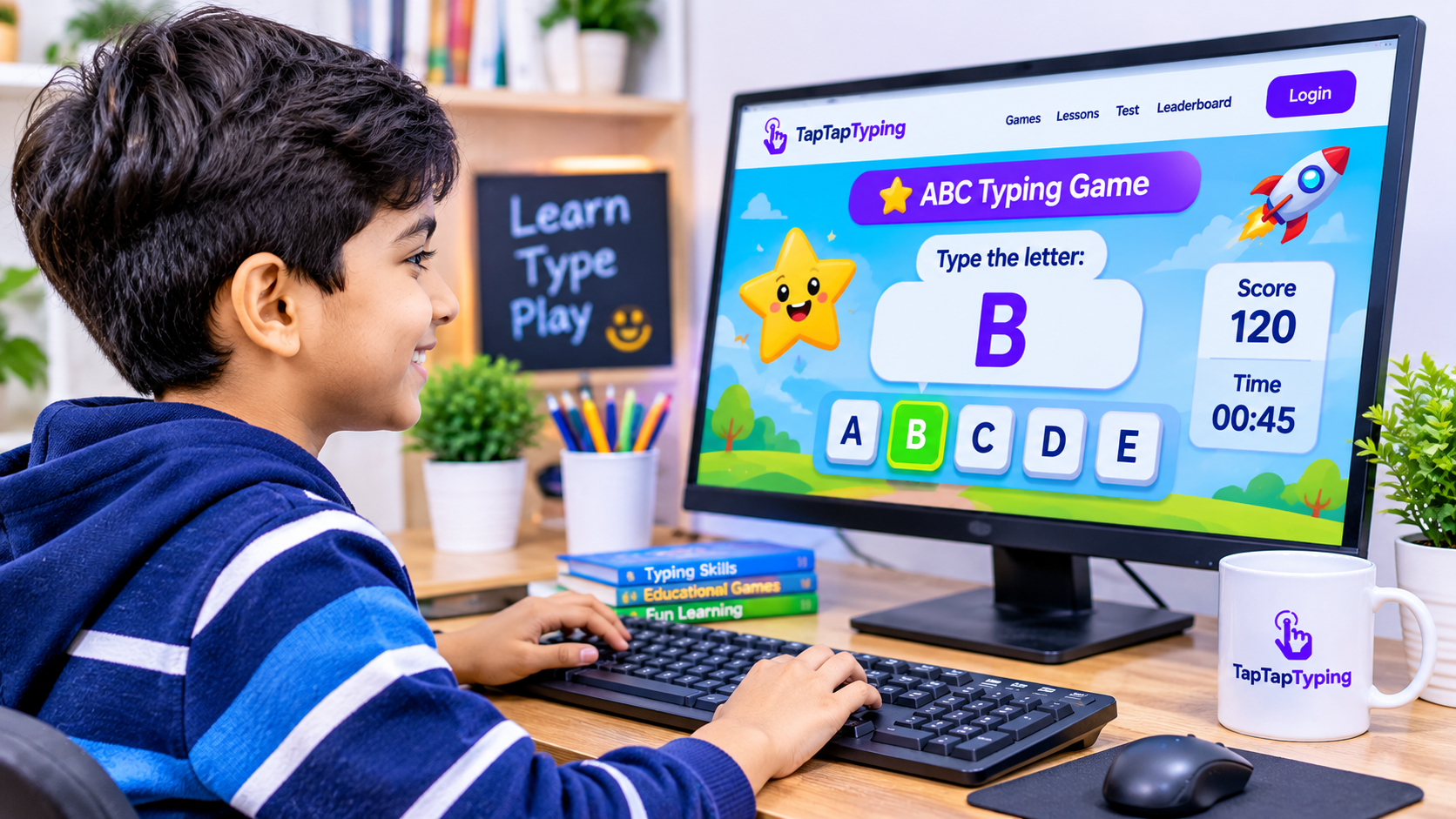
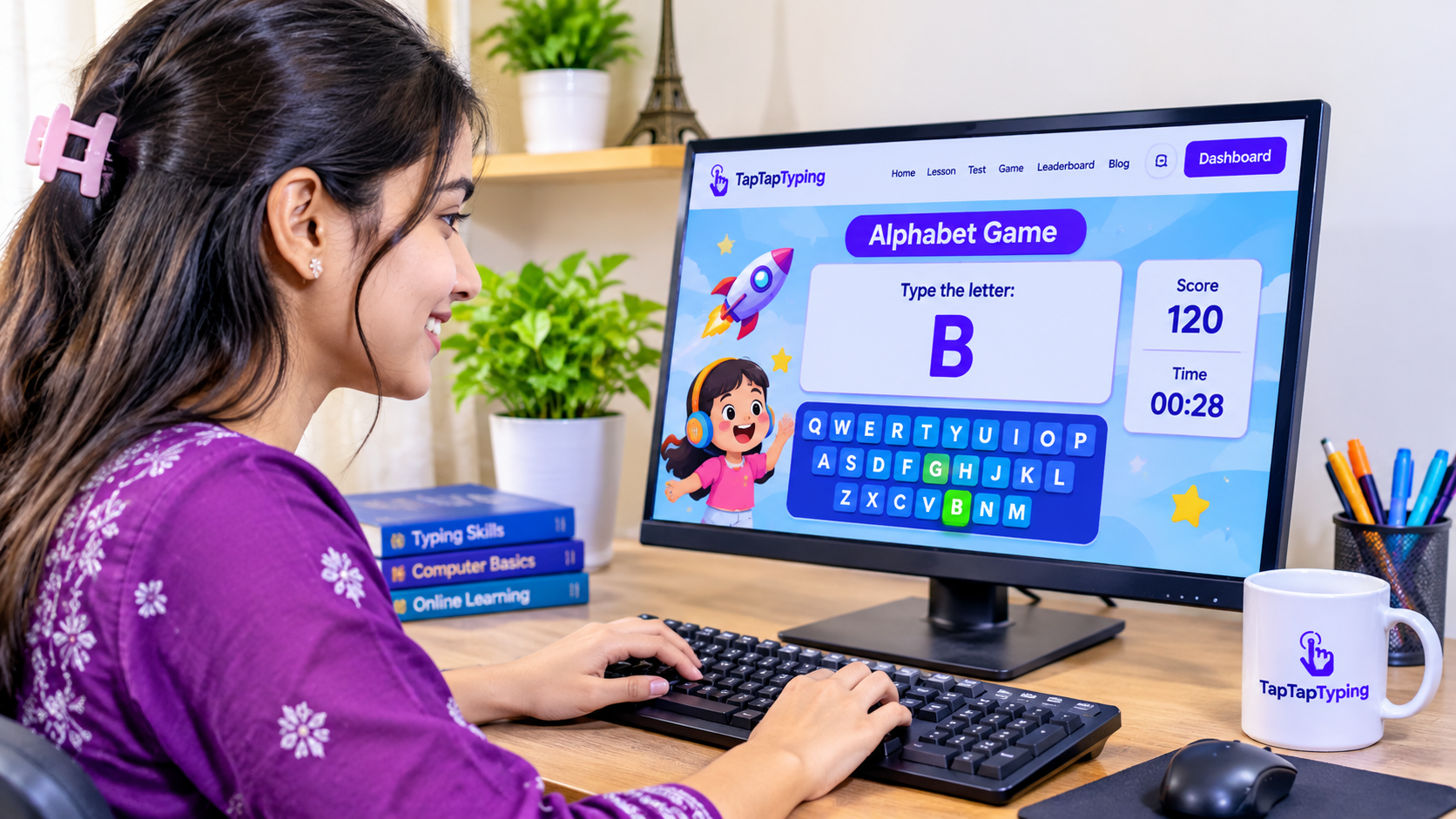
- The game displays the letter B.
- The child identifies the letter as “B.”
- The child taps B, clicks it, or presses the B key.
- The game gives positive feedback.
- The next letter appears.
- The child continues through the selected set.
- At the end, the game shows a completion message or score.
A parent can make the activity more language-rich by asking questions:
- “What letter is this?”
- “Can you find the lowercase b?”
- “What sound does B make?”
- “Can you find B on the keyboard?”
- “Can you think of a word that starts with B?”
These small conversations turn a game into a more complete learning activity.
Who Should Play an Alphabet Game?
Alphabet games are useful for a wide range of learners, but they are especially helpful for children who are beginning to recognize letters or becoming comfortable with a keyboard.
Preschoolers and Toddlers
For toddlers and preschoolers, an alphabet game can introduce letters in a playful way. At this age, the goal is exposure, not mastery. A child may enjoy naming letters, finding a familiar letter, or matching uppercase and lowercase forms with adult support.
Keep sessions short. Two to five minutes may be enough for some young children. If the child loses interest, stop and return later. Alphabet learning should feel positive, not like a test.
Kindergarten and Early Elementary Students
Kindergarten and early elementary students can use alphabet games to reinforce letter names, letter shapes, alphabetical order, and early keyboard awareness. At this stage, children may be ready to identify more letters independently and begin connecting letters with sounds.
A useful routine is to practice a few letters at a time, then revisit them across several days. Repetition helps letters become more automatic.
Older Beginners and ESL Learners
Alphabet games are not only for young children. Older beginners, English language learners, and adults who are new to the Latin alphabet can also benefit from structured letter practice.
For English learners, an alphabet game can provide repeated exposure to letter names, letter shapes, and keyboard locations. This can be helpful before moving on to spelling, vocabulary, reading, and typing practice.
Parents and Homeschool Families
Parents and homeschool families can use an alphabet game as a short, structured learning activity. It works well as part of a morning routine, a quiet-time activity, or a transition between offline learning tasks.
The most effective approach is to participate. Instead of handing a child a device and walking away, sit nearby, ask questions, celebrate effort, and connect the game to books, writing, and everyday objects.
Teachers and Literacy Centers
Teachers can use alphabet games in several classroom settings:
- Literacy centers
- Computer-lab rotations
- Early-finisher activities
- Small-group instruction
- Whole-class warm-ups
- Intervention or review sessions
- Homeschool co-op activities
A game should support the teacher’s goals rather than replace direct instruction. For example, a teacher may use the game to reinforce a letter introduced during a phonics lesson, then ask students to find that letter in a book or write it on paper.
Learning Benefits of Alphabet Games
Alphabet games can support several early-learning skills. The benefits depend on the child’s age, the design of the game, and the way adults use it.
Letter Recognition
Letter recognition means being able to identify a letter by its shape and name. For example, a child sees G and says, “That is G.”
An alphabet game provides repeated exposure to letters in a low-pressure setting. Each time a child correctly identifies a letter, they strengthen the connection between the visual form and its name.
Uppercase and Lowercase Matching
Children need to recognize that A and a represent the same letter, even though they look different. Matching uppercase and lowercase letters helps children understand this relationship.
A game can present an uppercase letter and ask the player to find its lowercase partner. This is a useful bridge between recognizing letters and reading text, because books and everyday writing use both cases.
Alphabetical Order
Alphabetical order is the sequence from A to Z. Knowing this order helps with organization, dictionary skills, sorting, and later academic tasks.
An alphabet game may ask a child to choose the letter that comes next, arrange letters in order, or identify a missing letter in a sequence. These activities make the alphabet feel like a predictable pattern rather than a random list.
Letter-Sound Awareness
Letter-sound awareness is the understanding that letters represent sounds. For example, B often represents the /b/ sound at the beginning of “ball” or “book.”
An alphabet game can introduce this idea, especially when it includes audio, images, or prompts from an adult. However, phonics instruction should include more than identifying a single letter. Children also need opportunities to hear sounds, blend sounds into words, and practice reading and writing.
Use careful language: an alphabet game can support phonics awareness, but it should not be presented as a complete reading program.
Early Keyboard Familiarity
An alphabet game can also introduce children to the keyboard. Before a child learns formal touch typing, they need to understand that letters appear in specific places on the keyboard.
When a child sees K and finds the K key, they are building a useful connection between visual recognition and physical action. This can make later typing lessons feel less unfamiliar.
Attention, Motivation, and Confidence
Games can make practice feel more engaging than worksheets. A child who enjoys an activity is more likely to return to it, try again after a mistake, and persist through a challenge.
The key is to keep the experience positive. Praise effort, allow retries, avoid comparing children, and focus on progress rather than perfection.
Alphabet Game Ideas by Age
Different ages need different types of alphabet practice. A toddler may benefit from simple exposure, while an older child may be ready for keyboard practice and typing drills.
Ages 2–4: Letter Exposure
At this age, children are often beginning to notice letters in their environment. They may recognize the first letter of their name, point to letters in books, or enjoy singing the alphabet song.
Good activities include:
- Naming a letter when it appears on screen
- Finding a target letter among a few choices
- Matching identical letters
- Singing the alphabet song
- Pointing to letters in a child’s name
- Exploring letters with blocks, magnets, or cards
For digital play, an adult should remain involved. The child may not yet be ready to complete a full game independently.
Ages 4–6: Letter Recognition and Sounds
Preschool and kindergarten learners can begin recognizing more letters, matching cases, and noticing beginning sounds.
Good activities include:
- Matching uppercase and lowercase letters
- Identifying beginning sounds
- Sorting letters and numbers
- Finding missing letters in an ABC sequence
- Naming letters quickly
- Finding letters on a keyboard
- Building simple words with letter cards
A useful prompt is: “Find the letter that says /m/.” This connects the visual letter with its sound.
Ages 6–8: Keyboard Readiness
Children in this age range may be ready to connect letter recognition with keyboard use. They can practice locating keys, using both hands, and typing short letter sequences.
Good activities include:
- Finding a letter on the keyboard
- Typing individual letters
- Typing simple three-letter words
- Practicing home-row keys
- Completing short accuracy drills
- Playing beginner typing games
At this stage, accuracy matters more than speed. Encourage children to look at the screen, find the key, and type carefully.
Ages 8 and Up: Typing Practice
Older children can move beyond basic letter recognition and begin building typing fluency. They may practice home-row positioning, common letter combinations, short words, and eventually sentences.
Good activities include:
- Home-row drills
- Accuracy practice
- Short-word typing
- Sentence typing
- Timed typing challenges
- Keyboard-location games
- Typing practice with feedback
The alphabet game remains useful as a warm-up or review activity, but typing lessons can become the main focus.
| Age | Best focus | Example activity | TapTapTyping fit |
|---|---|---|---|
| 2–4 | Letter exposure | Name and find letters | Adult-supported play |
| 4–6 | Recognition and sounds | Match cases and identify letters | Core alphabet game |
| 6–8 | Keyboard readiness | Find keys and type letters | Alphabet typing practice |
| 8+ | Accuracy and fluency | Short words and typing drills | Beginner typing lessons |
How to Use the Alphabet Game at Home
Parents do not need special training to use an alphabet game effectively. A few simple habits can make the experience more educational and enjoyable.
Keep Sessions Short
Young children learn best in short, repeated sessions. A five- to ten-minute game session can be enough, especially for preschool and kindergarten learners.
If a child becomes frustrated, bored, or distracted, pause the activity. Learning should not become a battle. Return to the game another day with a smaller goal.
Say the Letter Name and Sound
While playing, say the letter name and sound aloud.
For example:
- “This is S. S says /s/.”
- “Can you find the letter M?”
- “M says /m/, like in monkey.”
- “You found lowercase g. Great job.”
This turns a visual activity into a language-rich learning experience.
Connect the Screen to Real Objects
Help children see letters outside the game.
Try these activities:
- Find letters on food packaging
- Look for letters in street signs
- Identify letters in a child’s name
- Find letters in a favorite book
- Use magnetic letters on a refrigerator
- Write letters with crayons, chalk, or finger paint
- Find letters on a physical keyboard
These activities reinforce the idea that letters are part of everyday life, not just something that appears on a screen.
Celebrate Effort
Praise effort and participation rather than speed or perfection.
Useful phrases include:
- “You kept trying.”
- “You found that letter.”
- “You remembered B.”
- “You are getting more comfortable with the keyboard.”
- “That was a good try.”
Avoid turning every mistake into a correction. A calm retry is often more helpful than pressure.
Sample 10-Minute Home Routine
Here is a simple routine parents can follow:
- Review three familiar letters.
- Play one short alphabet-game round.
- Say each letter name and sound aloud.
- Find two letters on a physical keyboard.
- Read a short book or point out letters in a story.
- End with praise and a brief break.
This routine combines digital practice with conversation, movement, and real-world exposure.
Classroom Ideas for Teachers
Teachers can use an alphabet game as part of a broader literacy routine. The goal is to reinforce letter knowledge while keeping students engaged.
Literacy Center Activity
Set up a device-based literacy center where students rotate through alphabet activities. One group may play the alphabet game while another group works with letter cards, writes letters, or listens to an alphabet story.
Keep instructions simple:
- Choose your letter set.
- Play one round.
- Say each letter name.
- Find the letter on the keyboard.
- Record the letters you practiced.
Whole-Class Warm-Up
Project a letter on a classroom screen and ask students to respond together.
Possible prompts include:
- “What letter is this?”
- “What sound does it make?”
- “Can you find it on the keyboard?”
- “Can you think of a word that begins with this letter?”
- “What letter comes next in the alphabet?”
This works well as a quick warm-up before a phonics or reading lesson.
Early-Finisher Option
An alphabet game can be a purposeful option for students who finish an assignment early. Instead of unstructured screen time, they can practice letters, keyboard locations, or simple typing skills.
Differentiation
Not every student needs the same activity.
- Beginning learners can focus on naming letters.
- Developing learners can match uppercase and lowercase letters.
- Students ready for more challenge can identify beginning sounds.
- Students preparing for typing can locate keys and type letters.
- Advanced students can practice short words and simple sentences.
Simple Assessment Idea
Use observation rather than relying only on a game score. A teacher can note whether a student can:
- Name a letter
- Match uppercase and lowercase forms
- Identify a beginning sound
- Find a letter on a keyboard
- Type a letter accurately
These observations provide more useful information than a score alone.
Alphabet Game Features to Look For
Not all alphabet games are equally useful. The best games are simple, clear, and appropriate for the learner’s stage.
Clear Visuals
Young learners benefit from large letters, uncluttered screens, and readable fonts. A busy interface can make it harder for a child to focus on the letter.
Simple Controls
The game should match the child’s abilities. Younger children may do best with tapping or clicking, while older beginners may benefit from keyboard input.
Positive Feedback
Look for games that encourage retrying. Positive feedback helps children stay engaged and reduces frustration.
Adjustable Difficulty
Useful options include:
- Individual letters
- Vowels
- Full alphabet
- Uppercase and lowercase
- Alphabetical order
- Keyboard practice
- Timed and untimed modes
Adjustable difficulty allows the same game to grow with the child.
Safety and Privacy
For children’s games, safety and privacy matter. Parents and teachers should review:
- Whether an account is required
- Whether the game includes ads
- Whether external links are present
- What data the site collects
- Whether the game includes chat or social features
- Whether the privacy policy is clear
A good children’s learning environment should minimize distractions and make the learning experience easy to understand.
Free Access
Many families look for free alphabet games because they want a low-risk way to try an activity. TapTapTyping should clearly explain what is free, whether an account is required, and whether any features require payment.
Alphabet Game vs. Other Letter-Learning Activities
An alphabet game is one tool among many. It works best when combined with hands-on and language-rich activities.
Alphabet Game vs. Flashcards
Flashcards are useful for direct repetition. A parent or teacher can show a card, ask for the letter name, and repeat the activity.
An alphabet game adds interaction and immediate feedback. The child must respond, and the game responds back.
Best use: Use flashcards for focused review and use a game for interactive practice.
Alphabet Game vs. Worksheets
Worksheets can support tracing, writing, coloring, and letter formation. They are especially useful for developing fine-motor skills.
An alphabet game provides faster feedback and can be more engaging for some children.
Best use: Combine worksheets with games. Write the letter after identifying it on screen.
Alphabet Game vs. ABC Videos
Videos can introduce letters, songs, and stories. However, they are mostly passive.
An alphabet game asks the child to make a choice and respond. This active participation can make practice more memorable.
Best use: Watch a short ABC video, then play a game that reinforces the same letters.
Alphabet Game vs. Typing Lessons
Alphabet games introduce letters and keyboard awareness. Typing lessons develop technique, accuracy, posture, finger placement, and speed.
Best use: Start with alphabet games for letter familiarity, then move into structured typing lessons when the child is ready.
Common Challenges and Simple Fixes
Child Confuses Similar Letters
Some letters are visually similar, especially for young learners. Common confusions include:
- b and d
- p and q
- m and w
- u and n
- uppercase and lowercase forms
Instead of drilling all confusing letters at once, focus on one pair at a time. Use tracing, verbal cues, and repeated exposure.
For example, for b and d, a parent might say, “B has a belly on the right. D has a belly on the right too, but it starts with a tall line.” Use whichever cue helps the child remember, but keep it consistent.
Child Knows Letters but Struggles with Keyboard
Knowing a letter does not always mean knowing where it is on a keyboard. Keyboard familiarity takes time.
Start with a few frequently used letters. Practice finding them without pressure. Gradually introduce more keys as the child becomes comfortable.
Child Loses Interest
If a child loses interest, reduce the session length or change the format. Try a different letter set, add a physical activity, or let the child choose a letter to practice.
Interest often returns when the activity feels manageable and successful.
Game Does Not Load
If the alphabet game does not load:
- Refresh the page
- Check the internet connection
- Try another browser
- Disable conflicting browser extensions if needed
- Ensure keyboard input is enabled
- Try a different device
- Contact TapTapTyping support if the issue continues
A clear troubleshooting section can reduce frustration and improve the user experience.
More Free Alphabet and Typing Games
After practicing letters, learners can explore related activities that build on the same skills.
Letter Recognition Games
Letter recognition games focus on identifying letters quickly and accurately. These games are ideal for preschool, kindergarten, and early elementary learners.
Keyboard Familiarity Games
Keyboard familiarity games help learners find letters, numbers, and symbols on a keyboard. They are a natural next step after alphabet practice.
Number and Symbol Games
Once children are comfortable with letters, they can explore numbers and basic keyboard symbols. This prepares them for broader computer use.
Typing Practice for Beginners
Beginner typing practice can include home-row keys, simple words, short sentences, and accuracy drills. The goal is to build comfort before focusing on speed.
Use descriptive internal links such as:
- “Explore ABC games for early learners”
- “Try letter recognition activities”
- “Practice keyboard basics for beginners”
- “Play free typing games for kids”
- “Start beginner typing lessons”
FAQs: Alphabet Game
What is an alphabet game?
An alphabet game is an interactive activity that helps learners recognize letters, match uppercase and lowercase forms, practice alphabetical order, or connect letters with beginning sounds. On TapTapTyping, it can also introduce keyboard familiarity.
Is the alphabet game free?
If TapTapTyping’s alphabet game is free to access, state that clearly: “Yes, the TapTapTyping alphabet game is free to play in your browser.” If certain features require an account or payment, disclose that information on the page.
What age is an alphabet game for?
Alphabet games are commonly useful for preschool through early elementary learners. Older beginners and English language learners can benefit as well. The right level depends on whether the child is learning letter names, sounds, or keyboard locations.
Can an alphabet game teach my child to read?
An alphabet game can support letter recognition and early literacy, but reading development also requires phonics, oral language, books, writing, and adult guidance. Use the game as one part of a broader learning routine.
Does my child need to know how to type first?
No. An alphabet game can be a gentle introduction to finding letters on a keyboard. Formal typing technique can come later.
Can I play the alphabet game on a phone or tablet?
This depends on the game’s compatibility. If TapTapTyping supports touch input, the game can work on a phone or tablet. If keyboard input is required, a computer or external keyboard may provide the best experience.
How long should a child play?
For young children, short sessions of about 5–10 minutes are usually more sustainable than long sessions. Stop before frustration builds and return another day.
Is the alphabet game safe for children?
TapTapTyping should clearly explain its safety approach. A child-friendly game should avoid unnecessary accounts, chat features, distracting ads, and confusing external links. Parents should always review the site’s privacy practices.
What is the difference between an alphabet game and a typing game?
An alphabet game focuses on letters and early literacy. A typing game focuses on keyboard accuracy, speed, and technique. They can overlap when a child types letters to answer.
How do I choose the best alphabet game?
Choose a game with clear visuals, simple controls, age-appropriate feedback, adjustable difficulty, and a distraction-free interface. It should be easy for a child to understand and easy for an adult to support.
AI Search Optimization Strategy
To improve visibility in AI-powered search experiences, the alphabet-game page should be structured for both human readers and machine understanding. AI systems favor content that directly answers questions, uses clear headings, and demonstrates topical coverage.
Optimize for Google AI Overviews
Google AI Overviews often highlight concise, direct answers. Put a clear answer near the top of the page and under each major question-based heading.
Example:
What is an alphabet game?
An alphabet game is an interactive learning activity that helps children recognize letters, match uppercase and lowercase forms, practice alphabetical order, and sometimes locate letters on a keyboard.
Use this pattern throughout the article:
- Ask the question in the H2 or H3.
- Answer it in the first one or two sentences.
- Add examples, steps, or context afterward.
- Link to a relevant supporting page.
Optimize for AI Mentions
AI systems are more likely to mention a brand when the content clearly explains what the brand offers and why it is relevant.
For TapTapTyping, include clear statements such as:
- “TapTapTyping offers a free browser-based alphabet game.”
- “The alphabet game helps learners practice letter recognition and keyboard familiarity.”
- “TapTapTyping is designed for beginner-friendly typing and letter-learning practice.”
Avoid vague claims. Be specific about the game’s purpose, audience, access model, and features.
Optimize for Google AI Mode
Google AI Mode benefits from content that answers a complete task, not just a single keyword. For “alphabet game,” users may want to know:
- What the game is
- Who it is for
- How to play it
- Whether it is free
- Whether it works on mobile
- How it supports learning
- What to do after the game
Address these questions in separate, clearly labeled sections. A topical map helps organize subtopics into related groups and connect them through internal links.
Optimize for Gemini and AI Assistants
Gemini and other AI assistants often synthesize information from multiple sources. Make the page easy to summarize by using:
- Short definitions
- Numbered steps
- Comparison tables
- Bullet lists
- Direct answers under headings
- Clear entity names
- FAQ sections
- Original screenshots or gameplay explanations
For example, Gemini-friendly phrasing might be:
“TapTapTyping’s alphabet game is a browser-based activity that helps children recognize letters and become familiar with keyboard keys. It is suitable for preschool, kindergarten, early elementary, homeschool, and ESL learners.”
Use Structured Data
Add structured data where appropriate:
Articleschema for the main guideFAQPageschema for visible FAQsBreadcrumbListschema for site hierarchyVideoObjectschema for an original gameplay or instructional videoHowToschema only if the page includes a real step-by-step process
Do not add FAQ schema for questions that are not visible on the page. The visible content and structured data should match.
Build Topical Authority
Publish supporting pages around the alphabet-game cluster:
/abc-games//letter-recognition-activities//alphabet-typing-game//keyboard-basics-for-kids//typing-games-for-kids//beginner-typing-lessons//phonics-activities/
Each supporting page should target one narrow intent and link back to the main alphabet-game page. A content cluster generally includes a pillar page targeting the broad head term and supporting articles targeting more specific long-tail keywords.
Improve E-E-A-T Signals
To strengthen experience, expertise, authoritativeness, and trust:
- Include an author or reviewer byline when appropriate.
- Explain how TapTapTyping designs learning activities.
- Avoid unsupported claims about reading outcomes.
- Use balanced language such as “can support” and “works best alongside.”
- Keep game instructions accurate and updated.
- Make privacy, safety, and accessibility information easy to find.
- Add a last-updated date.
On-Page SEO Checklist
- Use
alphabet gamein the title tag, H1, URL, first 100 words, one H2, image alt text, and conclusion. - Place a prominent “Play the Alphabet Game” CTA above the fold.
- Use descriptive image alt text, such as “Child playing an alphabet game and typing the letter B.”
- Keep paragraphs short and scannable.
- Use tables for age groups, game comparisons, and learning benefits.
- Add an FAQ section with concise answers.
- Link to related typing and ABC-learning pages.
- Ensure the page is mobile-friendly and loads quickly.
- Update the page whenever game features change.
- Track performance for
alphabet game,alphabet game online,alphabet game for kids,alphabet typing game, andfree alphabet game.
Conclusion
An alphabet game is a practical, engaging way to help children recognize letters, practice uppercase and lowercase forms, explore alphabetical order, and become comfortable with a keyboard. For TapTapTyping, it also creates a natural bridge between early literacy and typing readiness.
The most effective alphabet-game page gives visitors an immediate way to play, explains how the game works, identifies the best age groups, and provides practical guidance for parents and teachers. It should avoid overpromising reading results and instead position the game as one useful part of a broader learning routine.
For SEO and AI visibility, structure the page around clear questions, direct answers, helpful tables, original instructions, and a well-connected internal-link cluster. Supporting pages on ABC games, letter recognition, keyboard basics, and beginner typing can reinforce the main topic and help TapTapTyping become a more complete resource for early learners.
A well-built alphabet-game page can serve three audiences at once: children who want a fun activity, parents who want a simple learning routine, and teachers who need a flexible classroom tool. When the content is clear, accurate, and easy to navigate, it can earn visibility in traditional search while also becoming easier for AI Overviews, AI Mode, Gemini, and other AI assistants to understand and cite.